XIMA G100 Drive Settings Guide: Startup and Essential Parameters

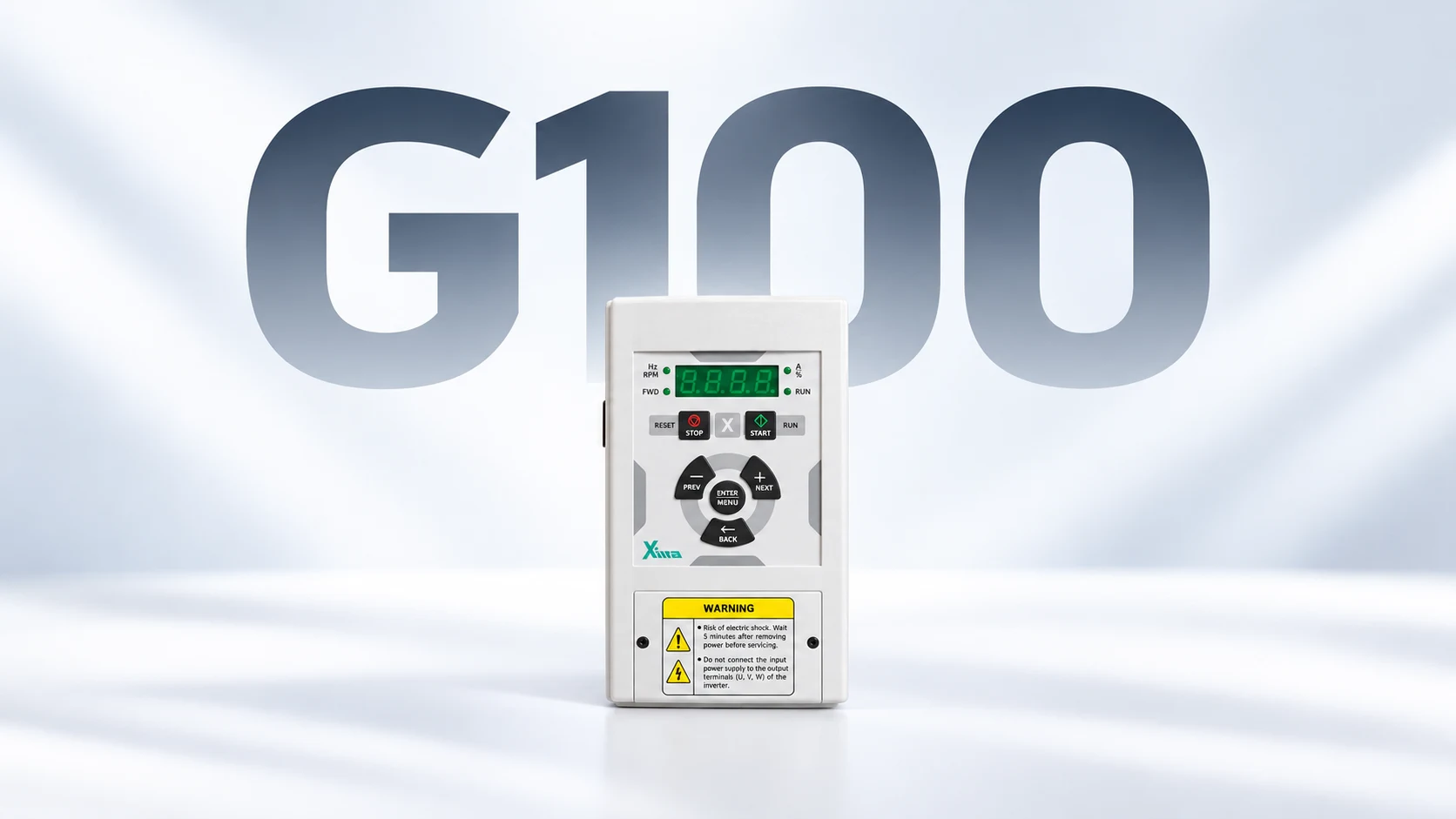
What Settings Are Required to Start Up a XIMA G100 Drive?
Configuring XIMA G100 drive settings is one of the most important steps in ensuring the proper startup and operation of three-phase motors in industrial equipment. To use this variable frequency drive (VFD) correctly, you need to understand how to access the settings menu, configure startup parameters, control motor speed, and select the appropriate command source.
In this guide, we explain the XIMA G100 inverter settings in clear, practical terms based on the manufacturer’s Industrial G-Series documentation. You will learn how to adjust motor frequency using the keypad or an external potentiometer, enter motor nameplate specifications, and identify common startup problems.
If you already have a XIMA G100 drive, check its complete model number and firmware version before making any changes. Parameter values, display codes, and available settings may vary between firmware versions.
For additional technical information, visit the Official XIMA Documentation and Downloads Page.
Safety Notice: This article is an educational guide to understanding and selecting drive settings. Electrical installation, power and motor connections, wiring modifications, and practical commissioning tests must be performed by qualified electrical professionals in accordance with the manufacturer’s safety instructions.
Quick Overview of XIMA G100 Drive Setup
If you want to know which settings are required for the initial startup of a XIMA G100 inverter, begin with these essential steps:
- Check the drive model and the motor nameplate specifications.
- Verify that the input power supply, drive output voltage, and motor winding configuration are compatible.
- Become familiar with the keypad buttons and the procedure for accessing the settings menu.
- Select the start/stop command source.
- Configure the frequency reference and motor speed control method.
- Enter the rated motor current and other essential motor parameters.
- Adjust acceleration and deceleration times according to the mechanical load.
- After verifying the control circuit and safety equipment, test the drive under controlled conditions.
The following sections explain each step in greater detail.
What Is the XIMA G100 Drive, and What Is It Used For?
The XIMA G100 is part of XIMA’s Industrial G-Series Variable Frequency Drives. It is designed to control the speed and operating characteristics of induction motors in various industrial applications.
This product family includes models with single-phase 220 V input and models with three-phase 380 V input.
Single-phase input G100 models provide a three-phase 220 V output. Therefore, the selected drive must be compatible with the motor’s rated voltage and winding configuration.
XIMA G100 drives are available in different power ratings, ranging from smaller models suitable for light industrial equipment to higher-power models designed for more demanding applications.
Common applications of the XIMA G100 drive include:
- Conveyor belt speed control
- Starting and controlling industrial machinery motors
- Adjusting the speed of industrial mixers and agitators
- Controlling industrial fans and ventilation equipment
- Operating various types of machinery powered by three-phase motors
What Information Is Required Before Configuring a XIMA G100 Drive?
Before starting the setup process, you must identify the specifications of the motor and the equipment it will operate.
This information can usually be found on the motor nameplate and the drive’s identification label.
| Specification | Why It Matters |
|---|---|
| Motor power (kW) | Helps determine whether the drive capacity is suitable for the motor |
| Rated motor voltage | Ensures compatibility between the drive output and motor winding configuration |
| Rated motor current (A) | Required for motor protection and rated motor parameter settings |
| Rated frequency (Hz) | Defines the motor’s nominal operating frequency |
| Rated speed (RPM) | Used for motor parameter configuration and performance evaluation |
| Power factor (cos φ) | May be required when configuring certain motor parameters |
| Mechanical load type | Influences acceleration, stopping behavior, and the control method |
Should the Drive and Motor Have the Same Power Rating?
Rated power is one of the main criteria for selecting a variable frequency drive, but it is not the only factor to consider.
For example, a 2.2 kW motor connected to a fan may have different startup and speed adjustment requirements from a 2.2 kW motor operating a loaded conveyor belt.
Although both motors have the same rated power, their mechanical loads and operating requirements may differ.
Therefore, in addition to rated power, consider the motor’s rated current, required overload capacity, application type, and operating conditions.
Differences Between Single-Phase and Three-Phase XIMA G100 Drives
A XIMA G100 drive with single-phase 220 V input is designed for applications where single-phase electrical power is available but a compatible three-phase 220 V motor needs to be controlled.
In contrast, three-phase G100 models are designed to operate from a three-phase 380 V power supply.
For example:
- G100B022-1: Single-phase 220 V input
- G100B022-3: Three-phase 380 V input
Both models are listed in the XIMA product range with a rated power of 2.2 kW. However, their output voltage configurations are different.
This distinction is especially important when operating a three-phase motor using a single-phase power supply.
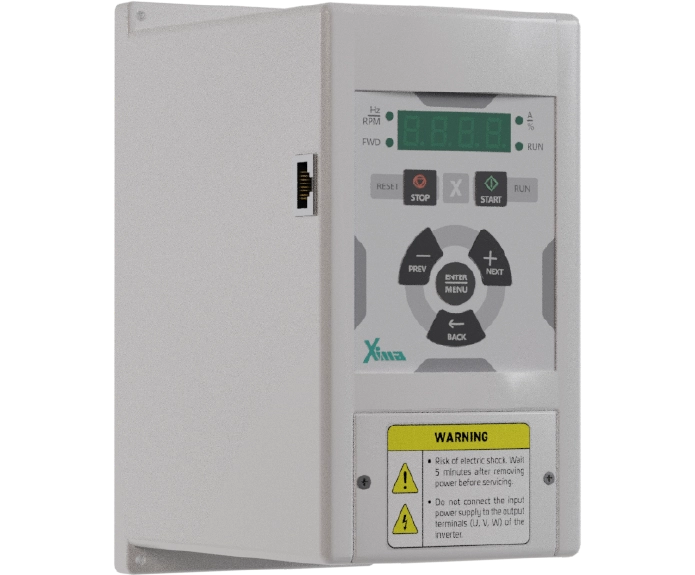
Understanding the XIMA G100 Keypad
One of the first steps in learning XIMA G100 drive settings is understanding the drive’s control keypad.
The keypad is used to monitor the drive’s operating status, access parameter menus, change frequency settings, and view fault codes.
The main keypad functions described in the G-Series documentation include:
| Key | Function |
|---|---|
| ENTER | Opens or selects a parameter and saves its value |
| + | Moves through menus or increases the selected value |
| – | Moves through menus or decreases the selected value |
| START | Sends a start command when the configured operating conditions allow it |
| STOP/RESET | Stops the drive or resets a fault, depending on the configuration |
| BACK | Returns to the previous menu |
The keypad layout and button labels may vary depending on the drive version.
Important: The keypad STOP button is not a substitute for a properly designed emergency-stop circuit.
How to Access the XIMA G100 Settings Menu
The XIMA Industrial G-Series documentation describes a Quick Start menu that provides access to essential setup parameters.
According to the G-Series user manual, the Quick Start menu was introduced with firmware version 3.16.
On firmware versions that support this feature, the general procedure is as follows:
- Check the drive status and ensure that no unintended start command is present.
- Press and hold the ENTER button for approximately five seconds.
- When the Quick Start menu appears, use the + and – buttons to navigate between parameters.
- Press ENTER to select a parameter for viewing or editing.
- Adjust the value according to the motor specifications and the instructions for that firmware version.
- Press ENTER again to save the selected value.
- Press BACK to exit the Quick Start menu.
Older firmware versions may not include this menu. In such cases, the drive settings may need to be accessed through a different procedure.
Difference Between the Quick Start Menu and the Main Parameter Menu
The Quick Start Menu is designed to simplify access to frequently used startup settings.
However, advanced functions such as control inputs and outputs, communication parameters, operating limits, and certain protection settings must be configured through the main parameter menu.
If the required parameter is not available in the Quick Start menu, refer to the relevant section of the user manual. It may be located in one of the main parameter groups.
Essential XIMA G100 Drive Parameters
Understanding the drive parameters is one of the most important aspects of configuring a XIMA G100 inverter.
The following table introduces frequently used parameters from the G-Series Quick Start menu and main parameter groups.
| Parameter | Function |
|---|---|
drv / drU | Selects the start command or drive operating mode, depending on the documented version |
Frq / FrEQ | Selects the frequency reference source |
ACC | Sets acceleration time in the Quick Start menu |
dEC | Sets deceleration time in the Quick Start menu |
Cur / rcur | Sets the rated motor current |
drC / dirc | Selects the motor rotation direction |
StoP | Selects the stopping method |
boSt | Configures torque boost |
Pr01 | Sets the minimum frequency |
Pr02 | Sets the maximum frequency |
Pr03 | Sets acceleration time in the main parameter menu |
Pr04 | Sets deceleration time in the main parameter menu |
Pr05 | Adjusts voltage boost |
rt01 | Sets the rated motor current |
rt02 | Sets the rated motor speed |
rt03 | Sets the rated motor voltage |
rt04 | Sets the motor power factor |
rt05 | Sets the rated motor frequency |
This table is based on the G-Series documentation. Before changing any setting, verify the displayed parameter name, available range, and supported options against the documentation for your specific G100 firmware version.
Configuring the Start Command Using the drv Parameter
One of the essential startup settings is selecting how the drive receives motor start and stop commands.
This parameter determines whether the commands are received through the keypad, external control terminals, or another supported control method.
The earlier G-Series Quick Start Guide, Version 2.0, identifies the following commonly used operating modes:
| Value in Version 2.0 | Description |
|---|---|
14 | Keypad start/stop control with the specified enable conditions |
18 | Start/stop control through digital inputs |
20 | Three-wire control using Start and Stop pushbuttons |
The selected operating mode must match the actual control wiring and the drive’s firmware version.
When terminal-based control is used, the Enable conditions, protective devices, and stopping logic must be checked before commissioning.
Setting the XIMA Drive Frequency Using the Frq Parameter
The Frq parameter selects the source of the drive’s frequency reference.
Output frequency is one of the main variables used to control motor speed in a variable frequency drive (VFD).
The earlier G-Series Quick Start Guide, Version 2.0, describes the following options:
| Frq Value | Function in the Documented Version |
|---|---|
4 | Adjusts the frequency using the keypad buttons |
0 | Receives the frequency reference from analog input V1 |
The appropriate option depends on the selected control method.
If the operator needs to adjust motor speed directly from the keypad, keypad frequency control may be selected.
However, if motor speed is controlled by an external potentiometer or another control system, the frequency reference must be configured accordingly.
Some firmware versions may use different display codes or parameter names. Therefore, these values should not be applied without checking the documentation for the installed firmware.
How to Adjust Motor Speed Using the XIMA G100 Keypad
One of the most useful XIMA G100 settings is the ability to control motor speed directly through the drive keypad.
To use this function correctly, two separate settings must be considered:
First: The motor start command source. This determines where the drive receives its Run command.
Second: The motor frequency reference source. This determines whether motor speed is adjusted through the keypad, an external potentiometer, or another supported method.
These settings are independent of one another.
Steps for Selecting Keypad Speed Control
In the documented version where Frq = 4 selects keypad frequency adjustment, the general procedure involves:
- Selecting a start command method that matches the machine’s control circuit.
- Selecting the keypad as the frequency reference source.
- Saving the configuration.
- Checking the permitted output frequency range.
- Having a qualified technician test frequency adjustment under controlled conditions.
If the drive receives its Run command through external terminals, selecting the keypad as the frequency reference source will not automatically start the motor.
Why Can’t I Change Motor Speed Using the Keypad?
If the output frequency cannot be adjusted using the keypad, check the following:
- Is the keypad selected as the active frequency reference source?
- Is a fixed frequency or external reference currently active?
- Are frequency limits preventing adjustment?
- Is the drive in a ready, fault, or stopped state?
Correct diagnosis requires checking both the drive’s operating status and its active control settings.
Adjusting XIMA G100 Motor Speed with an External Potentiometer
In many industrial applications, operators use an external potentiometer instead of entering the inverter’s programming menu to adjust motor speed.
In this configuration, the potentiometer is connected to the drive’s analog input. The resulting analog signal is used as the frequency reference.
According to the earlier G-Series Quick Start Guide, Version 2.0, the following setting selects analog input V1 as the frequency reference:
Frq = 0
However, the potentiometer must be connected exactly as specified in the official terminal wiring diagram for the particular drive model.
The signal type, reference voltage, common terminal, and frequency range must also be checked.
Practical Tip: If motor speed does not change after installing an external potentiometer, the potentiometer itself may not be faulty. The problem could be caused by an incorrect frequency reference selection or an analog input signal that is not being received correctly.
Setting Acceleration and Deceleration Times on a XIMA Drive
Acceleration and deceleration times are among the most frequently adjusted parameters during drive startup.
ACC Parameter: Setting Acceleration Time
The ACC parameter determines how quickly the drive increases the motor frequency.
The appropriate acceleration time depends on the characteristics of the mechanical load.
For example, if a conveyor experiences excessive mechanical stress during startup, the acceleration time should be reviewed according to the machine’s operating requirements.
An excessively short acceleration time may increase motor current and trigger the drive’s protection functions under certain conditions.
dEC Parameter: Setting Deceleration Time
The dEC parameter controls how quickly the output frequency decreases.
In applications with high mechanical inertia, rapid deceleration may cause an overvoltage condition due to energy returned from the motor to the drive.
Therefore, the deceleration time must be selected according to the motor characteristics, load type, and braking equipment.
What Is the Difference Between ACC/dEC and Pr03/Pr04?
This distinction is particularly important when configuring XIMA drive parameters.
In the earlier Quick Start Guide, Version 2.0, ACC and dEC refer to the time required for a frequency change over a 50 Hz range.
However, in the main G-Series documentation, Pr03 and Pr04 are defined in seconds per 100 Hz.
For example, under an ideal linear acceleration ramp without additional control limitations, changing the frequency from 0 to 50 Hz represents half of the 100 Hz reference range.
For this reason, the same numerical value should not be copied between these parameter groups without checking the definition and units of each parameter.
Setting the Rated Motor Current on the XIMA G100
Entering the motor’s rated current is an essential part of the initial setup process.
In the G-Series Quick Start menu, the motor current parameter is identified as Cur or rcur in the referenced documentation.
In the main motor parameter group, rt01 corresponds to the rated motor current.
The correct value must be obtained from the motor nameplate and must match the selected voltage and winding configuration.
For example, if the motor nameplate lists different current values for two operating voltages, use the current rating that corresponds to the actual motor connection.
Entering the drive’s rated current instead of the motor’s rated current, without considering the actual motor specifications, is not a correct configuration method.
Setting the Minimum and Maximum Frequency on a XIMA G100
The G-Series documentation identifies Pr01 and Pr02 as parameters used to define frequency limits.
| Parameter | Description |
|---|---|
Pr01 | Minimum frequency |
Pr02 | Maximum frequency |
These values must be selected according to the permitted operating range of the motor and the connected equipment.
For example, a machine manufacturer may specify a maximum operating speed for certain transmission components.
In such cases, the equipment speed must not be increased simply by raising the maximum frequency setting.
Before changing these limits, consider the motor specifications, mechanical speed limits, cooling requirements, and operating conditions.
Practical Example: Configuring a XIMA G100 Drive for a 2.2 kW Motor
To better understand the setup process, consider the G100B022-3 model.
This model belongs to the XIMA Industrial G-Series and is listed with a rated power of 2.2 kW and a three-phase 380 V input.
Suppose this drive will be used to control the speed of a three-phase motor in an industrial machine.
Before configuring the drive, the following information must be collected:
| Setup Step | Required Information |
|---|---|
| Drive model | G100B022-3 |
| Power supply verification | Three-phase 380 V input |
| Motor specifications | Actual motor nameplate data |
| Rated motor current | Value corresponding to the motor voltage and winding connection |
| Command source | Keypad or external terminals, according to the machine design |
| Frequency reference | Keypad or analog input |
| Acceleration | Selected according to the load and mechanical inertia |
| Stopping method | Selected according to the process and safety requirements |
| Operating verification | Check current, frequency, rotation direction, and motor behavior |
In this example, knowing only that the motor is rated at 2.2 kW is not enough to determine every parameter value.
For actual commissioning, a qualified technician must review the motor nameplate, load conditions, and control circuit before selecting the appropriate settings.
If you are still choosing a drive model, visit the XIMA Industrial G-Series Drive Product Page to compare single-phase and three-phase models and request pricing information for XIMA G100 drives.
Common Problems During XIMA G100 Drive Startup
After the initial setup, the drive may not always operate as expected.
In such cases, the display status and operating conditions should be examined before changing additional parameters.
The XIMA Drive Powers On, but the Motor Does Not Run
One common problem occurs when the inverter display turns on, but the motor does not start.
Possible causes include:
- The drive is not receiving a Run command.
- The start command source is incorrectly configured.
- The Enable condition is not satisfied.
- The frequency reference is set to zero.
- An active fault or protective condition is preventing startup.
In some versions of the XIMA Industrial G-Series, the inhi message is associated with an inactive Enable input.
Important: Never short-circuit or bypass protective and safety circuits to resolve this condition. The reason for the inactive startup condition must first be identified using the correct wiring diagram.
What Causes the OC-A Fault During G100 Startup?
The OC-A fault is associated with an overcurrent condition during acceleration.
One of the settings that may need to be checked is the acceleration time, particularly parameter Pr03.
However, other possible factors include the mechanical load, motor wiring, and rated motor specifications.
Changing several parameters without identifying the root cause may make troubleshooting more difficult.
Ov-D Fault During Motor Deceleration
The Ov-D fault is associated with overvoltage during deceleration.
In this situation, the deceleration time and the energy returned from the motor to the drive are important factors.
The braking resistor and its suitability for the application may also require specialist evaluation.
Should I Reset the G100 Drive Settings After a Fault?
No. Restoring the factory settings should not be the first troubleshooting step.
First, record the fault code, the conditions under which it occurred, and any recent parameter changes.
A factory reset may erase important motor and control settings, making subsequent commissioning more difficult or potentially unsafe.
For more information, read the XIMA Drive Fault Codes and Troubleshooting Guide.
Download the XIMA G100 User Manual
For a complete list of drive parameters and official wiring diagrams, the manufacturer’s documentation should be used.
The XIMA documentation section provides files for the Industrial G-Series, including:
- Industrial G-Series User Manual — Version 5.2
- Industrial G-Series Quick Start Guide — Version 2.2
- XIMA Product Catalog and Technical Specifications
These documents are useful for reviewing drive functions, advanced parameters, and official electrical diagrams.
You can access them through the XIMA Manuals, Catalogs, and Technical Downloads Page.
Before using any manual, confirm that it matches the complete drive model number and firmware version.
Frequently Asked Questions About XIMA G100 Drive Settings
How Do I Access the Settings Menu on a XIMA G100 Drive?
On G-Series drives that support the Quick Start feature, holding the ENTER button for approximately five seconds normally opens the Quick Start menu. According to the G-Series manual, this feature was introduced in firmware version 3.16.
How Do I Set the Frequency on a XIMA G100 Inverter?
First, select the appropriate frequency reference source.
The frequency can be controlled through the keypad, an analog input, or other supported control methods.
In the earlier Quick Start Guide, Version 2.0, Frq = 4 selects keypad control, while Frq = 0 selects analog input V1.
How Can I Control Motor Speed Using an External Potentiometer?
Select the appropriate analog input as the frequency reference and connect the potentiometer according to the official wiring diagram.
The wiring and input configuration must be checked by a qualified electrical professional.
Which Parameter Controls Motor Acceleration Time?
In the G-Series documentation, ACC is used for acceleration time in the Quick Start menu, while Pr03 is used in the main parameter group.
The time base and units must be checked before entering a value.
Are G100, G200, and G300 Drive Settings the Same?
These models belong to the XIMA Industrial G-Series, but their power ratings, hardware capabilities, and certain parameter options may differ.
Do not transfer all settings from one model to another without checking the applicable manual and firmware version.
Is the XIMA G100 the Same as the LS G100?
No. The XIMA G100 and LS G100 are products from different manufacturers.
Although their model names are similar, their parameter names, numbering systems, and configuration procedures are not necessarily the same.
Always use the documentation provided by the correct manufacturer.
How Can I Get Help with XIMA Drive Settings or Repairs?
If the drive repeatedly displays a fault, record the fault code and operating conditions before resetting the device or modifying multiple parameters.
For problems that require specialist evaluation, visit XIMA After-Sales Service and Technical Support.
Conclusion
Properly configuring XIMA G100 drive settings begins with checking the motor nameplate and drive specifications.
The start command source, frequency reference, acceleration and deceleration times, and motor parameters must then be selected according to the application’s requirements.
For keypad-based speed control, selecting the correct frequency reference is essential. However, the start/stop command may still be received through a separate control circuit.
Although the Quick Start menu simplifies access to essential parameters, every setting must be compatible with the drive firmware, motor specifications, and actual operating conditions.
For more accurate technical assistance, prepare the complete drive model number, firmware version, motor nameplate details, and a description of the application before contacting a XIMA technical specialist.
Products
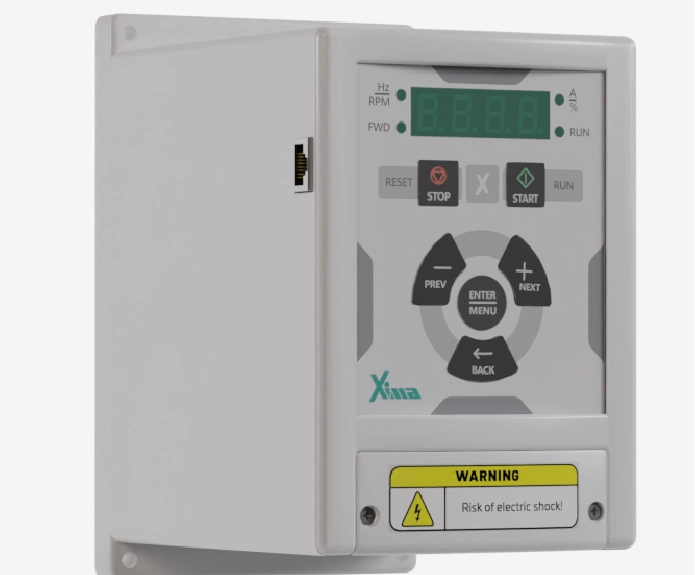
1.1 kW Single-Phase Industrial Series Inverter
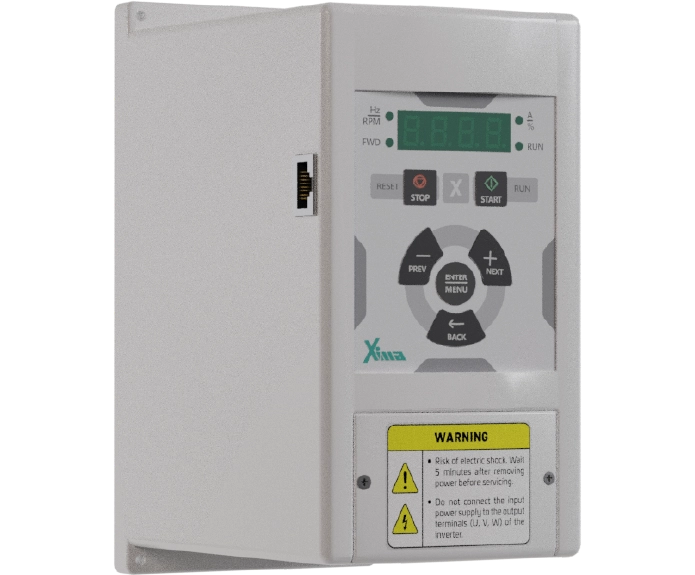
1.5 kW Single-Phase Industrial Series Inverter
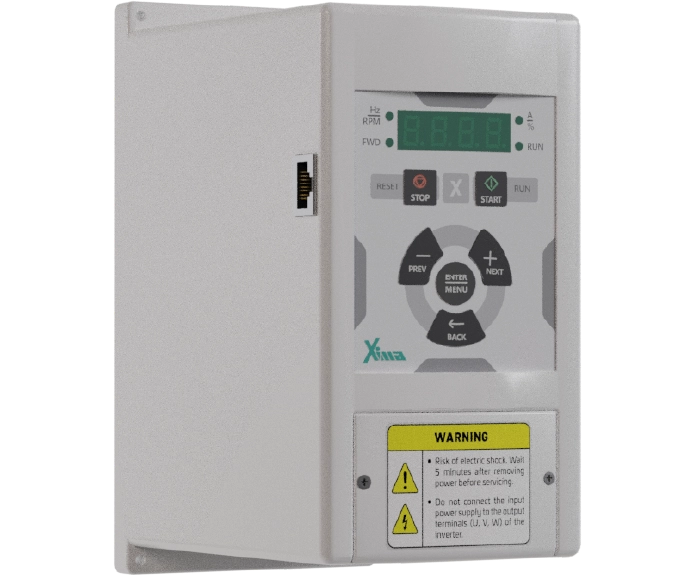
2.2 kW Single-Phase Industrial Series Inverter
User Comments
Comments
No comments yet.