XIMA Drive Repair: How to Find the Cause and Choose the Right Fix

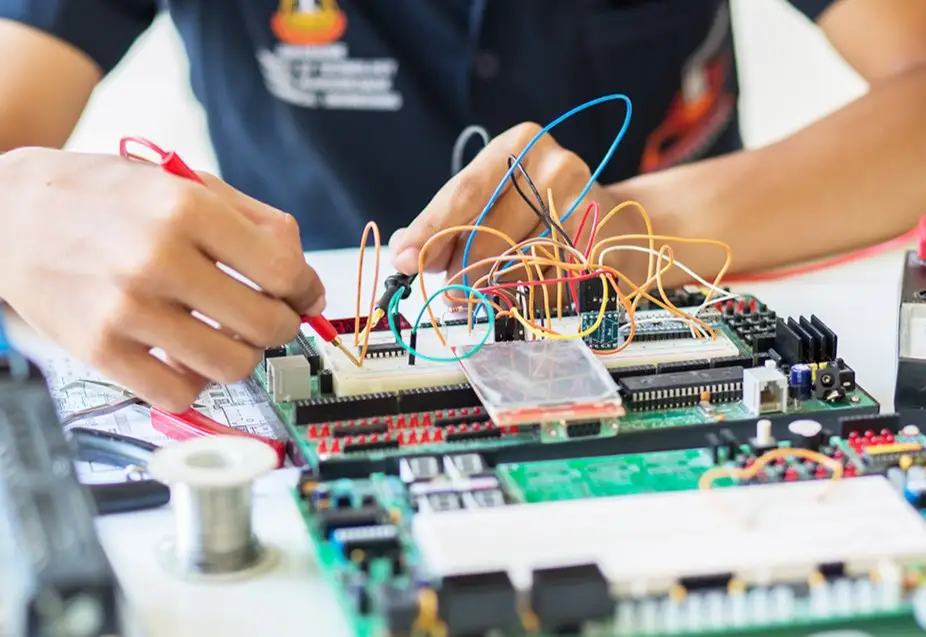
When a XIMA drive does not power up, its display is on but the motor will not run, or the system stops unexpectedly, the inverter itself is not necessarily damaged. The cause may lie in the incoming power supply, the start command, motor data, mechanical load, sensors or a protective function operating as intended.
The first step in XIMA drive repair and troubleshooting is not to replace components or repeatedly reset the unit. It is to find out when and where the expected operation stops. This practical guide helps you identify the symptom, narrow down possible causes, understand which checks can be made without opening the drive, and recognize when qualified technical inspection is needed.
Quick answer: If the display is blank, start with the supply and upstream power equipment. If the display is on but the motor will not start, check the selected command source and the RUN and Enable signals. If the motor runs but its speed will not change—or it stops under load—consider the frequency reference, motor settings, load conditions and any fault code together. None of these symptoms, by itself, proves that a drive circuit board has failed.
Where Should You Start Troubleshooting a XIMA Drive?
Before changing parameters or considering a repair, check the drive’s status and the conditions required for the motor to run. A protective function or an incomplete control command can stop motion even when the inverter is functioning correctly.
Start with three observations:
- Display status: Does the drive power up and show a ready or status message? If the display is completely blank, begin by checking the external power supply. Some G-series models display
redywhen ready; this does not mean a motor start command has been received. - Start command: If the display is on but the motor remains still, compare the actual control circuit with the selected start-command source. RUN and Enable may both be required, depending on the control mode.
- When the symptom appears: Does it happen at power-up, during acceleration, under load or while stopping? Record the exact fault code and when it appears. This is often more useful than a general description such as “the drive has a fault.”
Also record the complete model number. XIMA’s industrial G, pump P, elevator/lift L and solar pump S families serve different applications. Even parameter numbers can vary between software versions within the same drive family.
Safety comes first: Reading display messages and recording existing settings are very different from electrical measurements or work inside a power circuit. Opening the enclosure, measuring energized terminals, disconnecting motor cables and inspecting internal components must be left to qualified personnel after the system has been made safe. Capacitors may retain hazardous voltage after power is removed. Never bypass motor protection, braking functions or safety circuits to run a test.
XIMA Drive Troubleshooting by Symptom
Use the list below to choose a sensible starting point. A final diagnosis depends on the exact model, installation conditions and technical findings.
- The display is completely blank. Possible causes include a missing input supply or an internal drive issue. Check the visible condition of the external supply and upstream protective equipment. Have a qualified electrician perform any required electrical measurements.
- The display is on, but the motor will not start. RUN may not be reaching the drive, Enable may be inactive, or the start-command source may be selected incorrectly. Record the status message and compare command-source settings with the control circuit.
- The motor starts, but its speed does not change. The frequency reference, analogue or digital input, or a frequency limit may be involved. Compare the requested frequency with the value displayed by the drive.
- A fault appears during motor startup. Acceleration conditions, mechanical load, motor data or an overcurrent event may be involved. Record the exact code and time of occurrence; do not guess at parameter values.
- The drive stops after running for a while. Overload, rising temperature, supply conditions or an active protection may explain the stop. Check the load, ambient conditions, ventilation and display message.
- The motor lacks torque or becomes unusually hot. Check whether its rated data match the drive settings, whether the load is excessive at low speed and whether motor cooling is sufficient.
- A pump cannot maintain stable pressure. Check the pressure sensor, PID configuration, pressure setpoint and any multi-pump control logic. Compare actual pressure with feedback and operating mode.
- An elevator receives a run command but does not move correctly. The command sequence, contactor, brake or relevant feedback may need investigation. Stop operation and involve a qualified elevator technician for motion-control and safety-circuit checks.
XIMA Drive Will Not Power On: What Should You Check First?
A completely dark display needs careful diagnosis because two very different situations can look identical: the drive may not be receiving a suitable supply, or the input supply may be present while the drive itself fails to power up.
1. Check the External Power Supply
Without touching energized equipment, establish whether power is available at the installation, whether upstream switches and protective devices appear to be in their normal operating positions, and whether other equipment in the same panel has lost power.
Visual observation cannot establish the actual voltage at the input terminals or the condition of internal power components. Those checks require qualified technical work.
2. Do Not Confuse a Blank Display With a Motor That Will Not Start
If the display is on, the drive is not experiencing a complete power-up failure. Move to the next section and investigate the control commands instead.
If there is no sign of power-up even after a specialist has confirmed the supply, an internal issue becomes a possibility. Repeatedly energizing the unit or opening its cover is not an appropriate diagnostic shortcut.
Why Is the XIMA Drive On but the Motor Not Starting?
The key distinction is between a drive that is ready and a drive that has been told—and permitted—to run. The inverter may be powered and free of active faults while the motor remains stationary because the required command or permission is missing.
Identify the Start-Command Source
The start command may come from the keypad, the control terminals or an upstream controller. If the drive is configured to accept terminal commands, pressing a keypad button will not necessarily start the motor. The opposite can also be true.
Compare the configured command source with the machine’s actual control method. In some modes, both RUN and Enable must be active. On equipment with emergency-stop circuits, contactors or interlocks, an open protective condition can also prevent motion.
If a Start Command Is Present, Check the Frequency Reference
A motor can appear not to have started even when a run command exists, simply because the speed or frequency reference is not appropriate. Check the requested frequency and the frequency shown on the display. The start-command source and the frequency-reference source are separate settings.
For details of industrial drive control modes and startup menus, see the XIMA G100 settings and startup guide. Do not copy parameter values from that model to another series without checking compatibility.
The Motor Runs, but Its Speed Will Not Change or Reach the Target
When the motor is already turning, start by checking the requested speed rather than assuming the inverter’s power electronics have failed.
- Frequency reference: Is the speed commanded from the keypad, an analogue input, a preset speed or an external controller?
- Frequency limits: Could the minimum or maximum frequency settings be preventing the requested speed?
- Current limiting and load: Is the motor experiencing a heavy load while accelerating, causing the drive to limit the increase in speed for protection?
- Input signal: If a potentiometer or control signal sets the speed, is the reference value actually changing?
A useful diagnostic record separates requested frequency, displayed output frequency and actual motor behavior. If the reference rises but the output frequency stays constant, the investigation differs from a case in which both frequency values change but the mechanical load still does not move as expected.
Why Does a XIMA Drive Show a Fault at Startup or Under Load?
The timing of a fault matters. An event that appears only during acceleration does not necessarily have the same cause as one occurring during deceleration or after a long period of running.
Faults During Startup
Begin with the load and motor data. Unsuitable acceleration conditions, excessive mechanical load or incorrectly entered rated motor current and other nameplate values can influence startup behavior. If a code appears, record the exact code and the moment it occurs. “The inverter trips” alone is not enough for a sound diagnosis.
Faults During Stopping or Deceleration
In some applications, deceleration and braking arrangements are important. A fault during stopping can be associated with the deceleration time, load behavior or braking resistor. Arbitrary changes to stopping time or braking equipment can be dangerous, especially in elevators and hoists.
Faults During Continuous Operation
If operation begins normally but stops later, examine load, temperature rise, cooling and the supply. A motor carrying too much load, a drive installed in an excessively hot enclosure and a system experiencing a supply-voltage dip call for different investigations.
To interpret a displayed message, use the XIMA drive fault-code reference alongside this symptom-based guide. The purpose here is to identify a diagnostic path, not repeat a catalogue of error codes.
XIMA Drive or Motor Overheating: What Needs Checking?
An increase in temperature may be related to installation conditions, load or cooling. Before concluding that the control board or motor is faulty, consider these factors:
- Operating load: Is the machine working harder than usual, particularly at a low motor speed?
- Installation environment: Does the panel have adequate ventilation, or is it near a heat source?
- Fans and airflow: Are ventilation paths blocked, or is a fan not operating properly? Internal inspection or cleaning must be carried out in a fully safe condition by a competent person.
- Motor parameters: Do the rated voltage, frequency and current match the motor nameplate? Incorrect torque-boost settings can also contribute to motor heating.
Permitted temperatures and any required derating depend on the model and installation conditions. Do not apply one temperature threshold or a fixed parameter value to every XIMA drive. If you are unsure how to interpret the specifications, start with the guide to reading an inverter nameplate.
XIMA P-Series Pump Drive Troubleshooting: Unstable Pressure or Unexpected Stops
The P-series is concerned with more than motor speed. It includes functions for PID control, sensor feedback, dry-run protection, Sleep mode and multi-pump operation. As a result, a stopped pump does not automatically indicate a defective drive; the control system may be responding to an operating condition or a protective function.
Water Pressure Keeps Fluctuating
If the pump runs but pressure is unstable, first compare the actual system pressure with the value reported by the controller. Then check the pressure setpoint, sensor status and PID configuration. An incorrectly defined sensor type or measurement range, for example, can interfere with feedback. Randomly adjusting PID gains without understanding the system response may make oscillation worse.
The Pump Stops When Water Demand Is Low
Where Sleep mode has been configured, stopping during low demand can be normal control behavior. Check water demand, pressure and the selected operating mode before treating the stop as a fault.
The Pump Starts but Reports a Dry-Run Condition
Check the water supply and pump path as well as the dry-run detection logic and settings for the specific model. A dry-run indication does not, by itself, mean that the motor or inverter has burned out.
Explore the control functions on the XIMA P-series pump drive page. For a multi-pump installation, the booster-pump wiring and startup guide can also help explain differences in wiring, pressure feedback and pump sequencing.
XIMA Elevator and Lift Drive Issues: Why a Reset Is Not Enough
An elevator drive works with more than the motor. Its operation also depends on command sequencing, contactors, brakes and, on relevant models, encoder feedback. A cabin-movement issue may therefore result from how these elements work together rather than from a single general-purpose parameter.
For example, an Enable signal arriving at the wrong point in the sequence, an incorrect contactor state or a mismatch between brake feedback and the brake command calls for a different diagnostic path from motor overload. On systems using feedback, the PG card and encoder connection and compatibility may also need checking.
Never test an elevator or hoist by bypassing its safety circuit, interfering with the brake or removing required feedback. These situations must be handled by a qualified elevator technician.
To understand the differences between elevator drive families, review the XIMA L-series elevator and lift drives and the guide to choosing a drive for geared and gearless elevators. A setting for L100 should not be assumed to apply to L200 or every other L-series model.
XIMA Solar Pump Drive Is Not Pumping Water: Is the Drive Faulty?
In a solar pumping installation, available energy from the PV panels and the water-system conditions matter alongside the motor and drive. Distinguish between these possibilities:
- Insufficient solar power: Reduced irradiance, shading or dirty panels may leave too little energy to sustain pumping.
- A water-path issue: Lack of incoming water, a blockage or air in the suction path may activate dry-run protection.
- A full tank: A float-switch signal or the water level reaching its defined limit may stop the system normally.
- No start permission: In some conditions, an inactive Enable command prevents the motor from starting.
If solar pumping stops, consider irradiance, tank level, the water path and any display message together before assuming a component has failed. The XIMA S-series solar pump drive overview explains the functions and operating conditions specific to this family.
When Can Resetting a XIMA Drive Help—and When Should You Avoid It?
Resetting a fault does not remove the underlying cause. It only allows the drive to leave a fault state when the relevant conditions permit. If the same condition remains, the fault can return.
Before any reset:
- Record the fault code, drive model and time of occurrence.
- If the issue occurred during movement or under load, record the load and command-circuit conditions.
- Make sure a reset cannot trigger unexpected motor or machine movement.
- Avoid repeated resets if the fault recurs, the unit is overheating or a short circuit is suspected.
Do not confuse fault reset with restoring factory defaults. A full parameter reset may change motor data, control commands and application-specific settings. Without a backup and verification of the settings for that exact model, factory reset is not a universal repair method. For the distinction between these operations, see the XIMA training on resetting and restoring drive parameters.
Is It a Settings Issue or Does the Drive Need Specialist Repair?
Use the following three situations to assess the next step:
- The drive powers on, and the motor’s behavior changed after a settings change. A configuration or command-reference problem is possible. Compare previous settings and motor nameplate data with the documentation for the exact model.
- A fault occurs only during a specific operating condition, such as acceleration or high load. Load, protection settings or operating conditions may be involved. Record the timing, fault code and mechanical conditions for analysis.
- The drive will not power up despite a confirmed supply, reports hardware-related faults, or repeatedly indicates a short circuit. An internal or power-stage issue becomes a concern. Remove the equipment from service and arrange qualified inspection.
A fault code does not automatically mean the drive must be replaced. Equally, clearing a fault does not prove that the system is healthy. Decisions should be based on the model, observed behavior and the results of safe checks.
Final XIMA Drive Troubleshooting Checklist
Before changing settings or replacing parts, make sure you have recorded the following:
- Complete drive model and series.
- Whether the display is on or completely blank.
- Exact fault code or status message.
- When the issue occurs: startup, acceleration, loaded running or stopping.
- Whether the start command comes from the keypad, terminals or an external controller.
- Requested frequency and displayed output frequency.
- Motor rated current, voltage and power from its nameplate.
- Mechanical load, ventilation, fan operation and ambient conditions.
- For pump and solar systems, relevant sensor readings, pressure, water availability and energy-source conditions.
- Previous parameter values, checked against documentation for the exact model before any change.
If the model number or parameter meanings are unclear, find the relevant manual in XIMA’s official downloads section. For problems involving internal components, the power stage or safety-related equipment, XIMA technical support is a more appropriate next step than trial-and-error adjustments.
Frequently Asked Questions About XIMA Drive Repair and Troubleshooting
Does Every XIMA Drive Fault Mean the Inverter Is Damaged?
No. Faults can result from supply conditions, mechanical load, motor parameters, control signals or sensors. Some codes can also point toward a possible hardware problem. Interpret the exact code together with when it occurs.
Why Does the Same Fault Return After a Reset?
Usually because the condition that triggered the protection is still present. Repeated resetting is not a substitute for diagnosis; recurrent faults may require taking the system out of operation until the cause has been checked.
Why Is the Display On but the Motor Is Not Turning?
RUN or Enable may be inactive, the command source may be selected incorrectly, or the frequency reference may be unsuitable. Check the command status and display message first. A lit display alone does not mean the motor should already be moving.
Does a Low Motor Speed Always Indicate a Faulty Drive?
No. Frequency limits, speed reference, current-related settings and load conditions can all prevent the motor from reaching the target speed. Check these before diagnosing internal damage.
Is It Normal for a Drive-Controlled Pump to Stop at Low Water Demand?
It can be, when Sleep mode is enabled and configured appropriately. Check pressure, water demand and the control state to distinguish normal stopping from a protection event or a fault.
Can I Use Parameters From One XIMA Model on Another?
Not without verification. Drive series, software version, motor type and application can change parameter names, numbers and ranges. Settings must be confirmed for the exact model.
Conclusion: Accurate Diagnosis Comes Before XIMA Drive Repair
When troubleshooting a XIMA drive, there is no need to begin by assuming the inverter is broken. Identify the display and supply status, then check the start command, frequency reference, motor data and load conditions. Pay attention to when a fault appears. In pump, elevator and solar applications, remember the sensors and application-specific control logic as well.
The guiding principle: Do not mistake a settings issue for failed hardware—but do not mask repeated faults or possible power-stage problems with resets and random parameter changes. A step-by-step diagnosis helps avoid unnecessary repairs without delaying specialist attention when it is genuinely needed.
Products
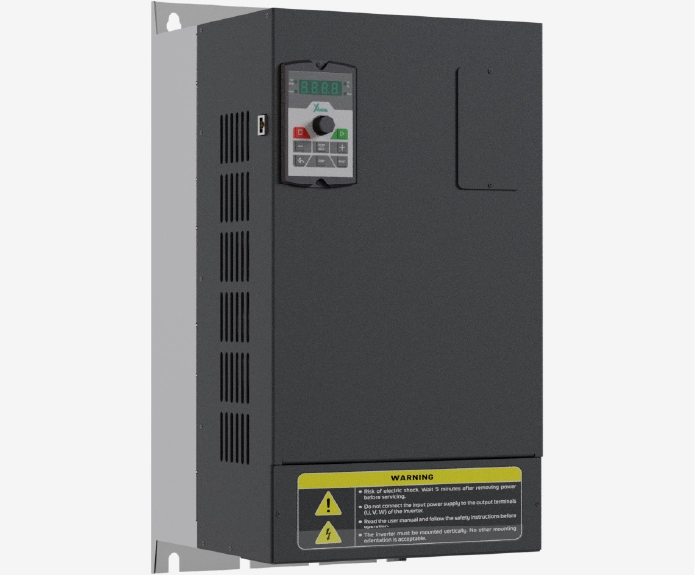
55 kW Three-Phase Solar Pump Series Inverter
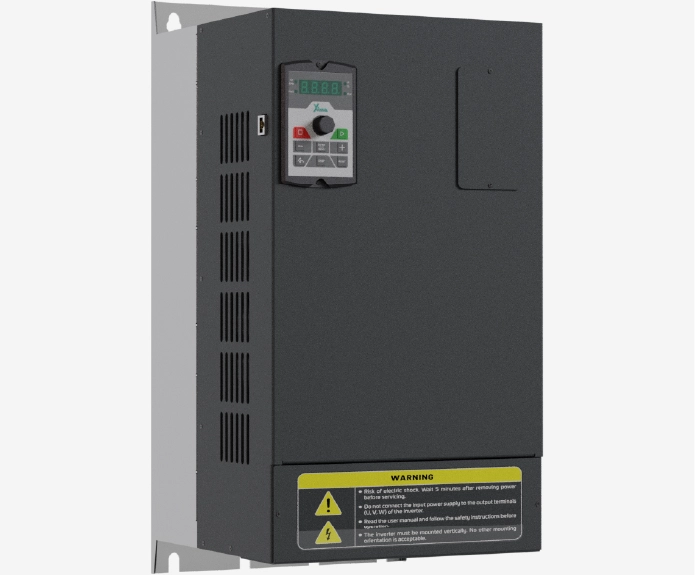
45 kW Three-Phase Solar Pump Series Inverter
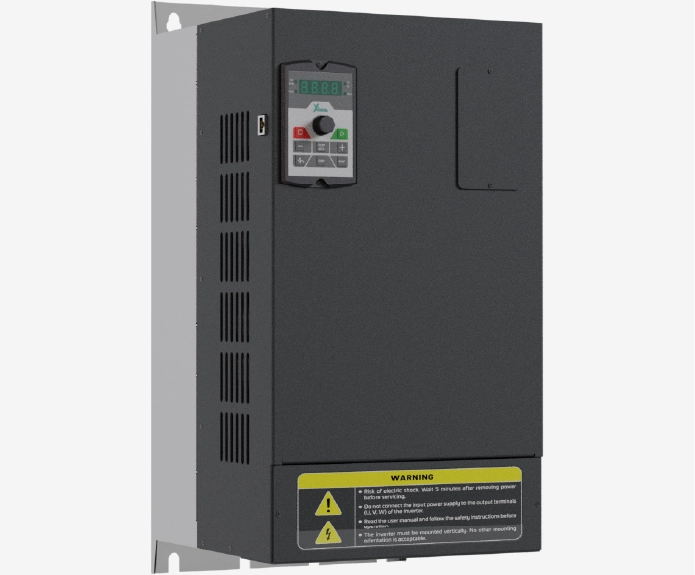
37 kW Three-Phase Solar Pump Series Inverter
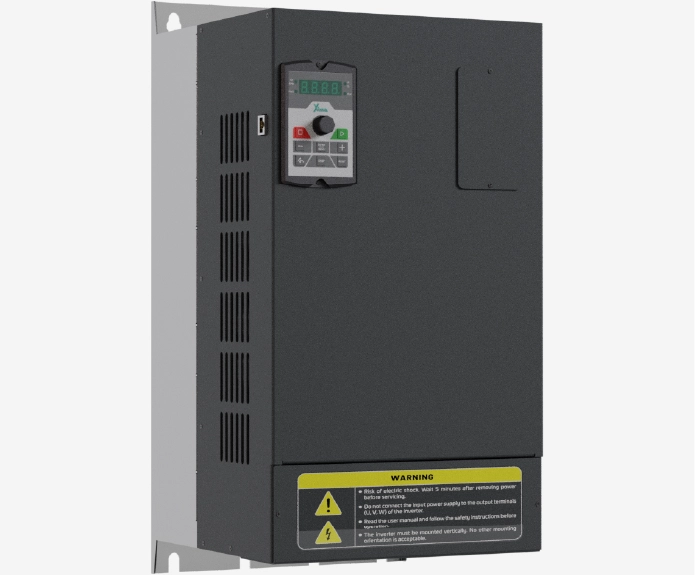
55 kW Three-Phase Industrial Series Inverter
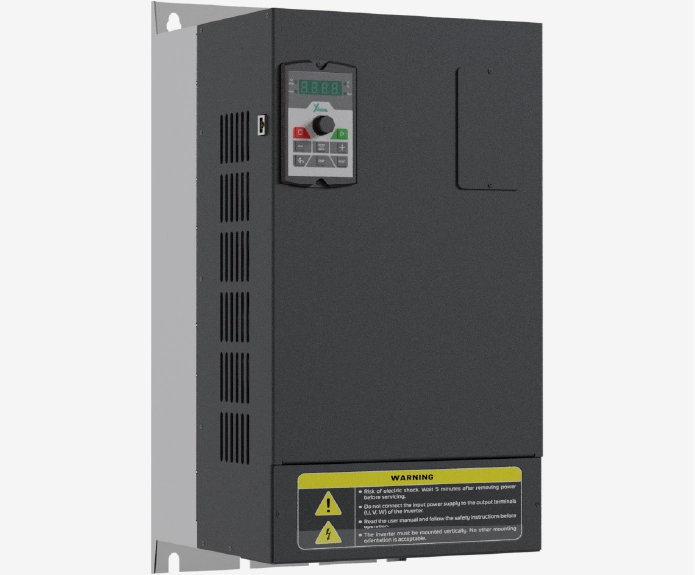
45 kW Three-Phase Industrial Series Inverter
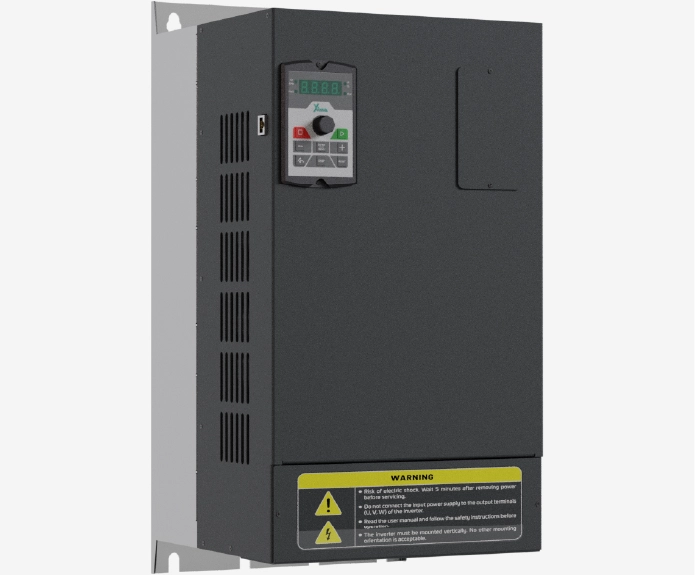
37 kW Three-Phase Industrial Series Inverter
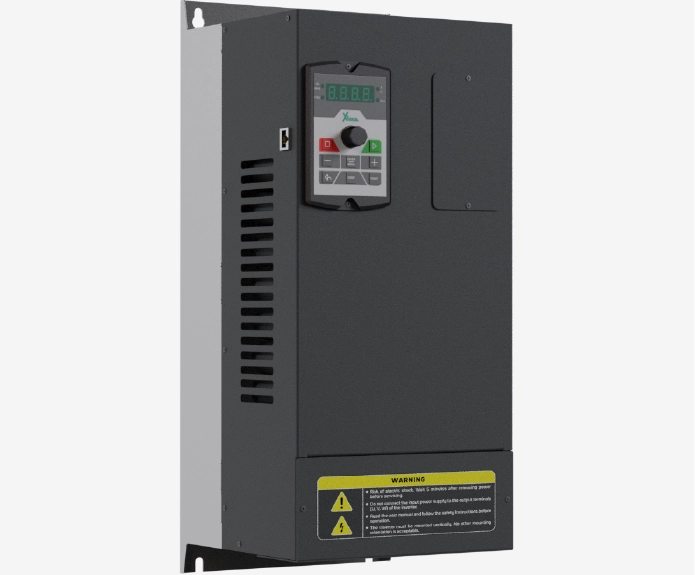
30 kW Three-Phase Solar Pump Series Inverter
User Comments
Comments
No comments yet.