تعمیر اینورتر زیما؛ دلایل خرابی و راهکارهای کاربردی عیبیابی

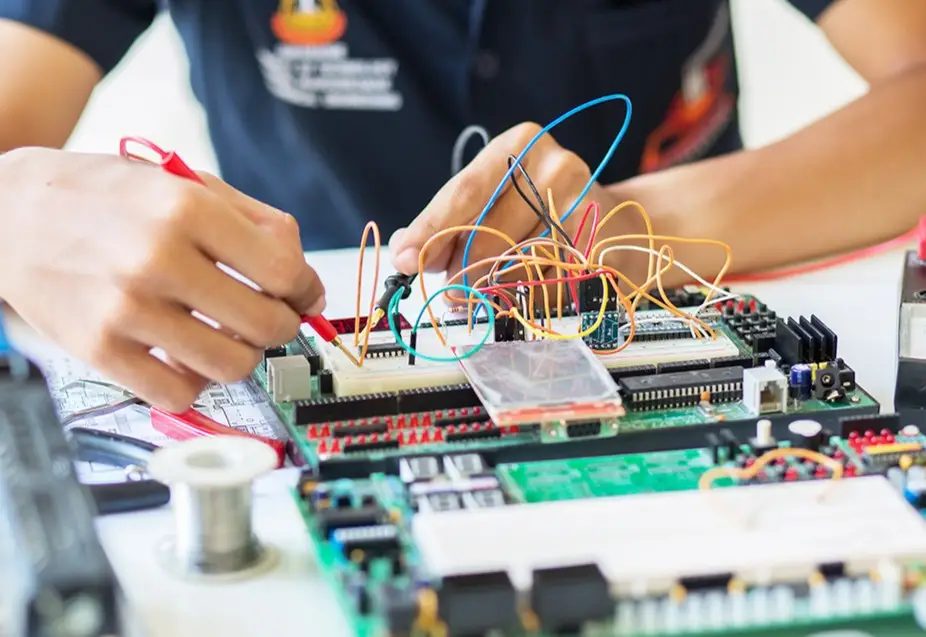
اولین قدم عیبیابی و تعمیر اینورتر زیما؛ بررسی برق ورودی، فرمان موتور و تنظیمات
درایوهای زیما برای کنترل عملکرد الکتروموتور و حفاظت از آن در شرایط غیرعادی طراحی شدهاند. به همین دلیل، اگر موتور استارت نمیشود، سرعت آن مطابق انتظار تغییر نمیکند یا دستگاه در حین کار متوقف میشود، این وضعیت لزوماً نشانه خرابی اینورتر نیست. عواملی مانند وضعیت برق ورودی، فرمانهای کنترلی، تنظیمات موتور و شرایط بار میتوانند بر عملکرد سیستم تأثیر بگذارند.
برای عیبیابی درایو زیما بهتر است بررسی را از بخشهای قابل مشاهده و شرایط عملکرد دستگاه آغاز کنید تا علت احتمالی مشکل، بدون تغییر غیرضروری پارامترها یا قطعات، شناسایی شود.
سه بخش اصلی که در شروع تعمیر اینورتر زیما باید بررسی شوند عبارتاند از:
- برق ورودی و تغذیه دستگاه: اگر نمایشگر درایو روشن نمیشود، ابتدا وضعیت برق ورودی و تجهیزات حفاظتی تابلو را بررسی کنید. برای اطمینان از مناسببودن ولتاژ تغذیه، اندازهگیریهای لازم باید توسط فرد متخصص انجام شود.
- فرمانهای کنترلی و تنظیمات موتور: اگر نمایشگر فعال است اما موتور حرکت نمیکند، وضعیت فرمانهای RUN و Enable، منبع فرمان استارت و پارامترهای مرتبط با موتور را بررسی کنید. انتخاب نادرست منبع فرمان یا برقرارنبودن شرایط راهاندازی میتواند مانع شروع حرکت شود.
- شرایط کاری و عملکردهای حفاظتی: اگر درایو در حین کار متوقف میشود یا پیغام هشدار نمایش میدهد، وضعیت بار مکانیکی، ولتاژ تغذیه، دمای محیط و کد نمایشدادهشده را بررسی کنید. درایو ممکن است برای محافظت از موتور یا تجهیزات، خروجی را متوقف کرده باشد.
نکته مهم: هدف از این بررسیها، تشخیص دقیق شرایط عملکرد و انتخاب راهکار مناسب جهت تعمیر اینورتر زیما است. بسیاری از نشانههای ظاهری را نمیتوان بدون بررسی به خرابی قطعات نسبت داد. بنابراین پیش از تغییر تنظیمات، ریست دستگاه یا تصمیم برای تعمیر، ابتدا علت فعالشدن حفاظت یا برقرارنبودن شرایط راهاندازی را مشخص کنید. بررسی مدارهای برقدار و قطعات داخلی نیز باید به متخصص سپرده شود.
تعمیر اینورتر زیما: عیبیابی درایو زیما را از کجا شروع کنیم؟
اگر عملکرد درایو مطابق انتظار نیست، پیش از تغییر تنظیمات یا اقدام برای تعمیر، باید وضعیت دستگاه و شرایط کار موتور بررسی شود. گاهی فعالشدن عملکردهای حفاظتی یا برقرارنبودن فرمانهای کنترلی باعث توقف موتور میشود؛ بنابراین این وضعیت لزوماً نشانه خرابی اینورتر نیست.
برای شروع عیبیابی، سه مورد را بررسی کنید:
- وضعیت نمایشگر: آیا درایو روشن میشود و پیام آمادهبهکار نمایش میدهد؟ اگر نمایشگر خاموش است، بررسی را از وضعیت برق ورودی آغاز کنید.
- فرمان راهاندازی: اگر نمایشگر روشن است اما موتور حرکت نمیکند، وضعیت فرمانهای RUN و Enable و منبع فرمان استارت را بررسی کنید.
- زمان بروز مشکل: آیا دستگاه هنگام شروع حرکت، زیر بار یا زمان توقف پیام خطا نشان میدهد؟ زمان وقوع و کد خطا به شناسایی علت احتمالی کمک میکنند.
با مشخصشدن این موارد، میتوان مسیر بررسی را دقیقتر انتخاب کرد و از تغییر غیرضروری پارامترها یا ریستهای مکرر جلوگیری کرد.در خازنها وجود دارد. برای هیچ آزمونی حفاظتهای موتور، ترمز یا مدار ایمنی را از مدار خارج نکنید.
جدول عیبیابی درایو زیما بر اساس نشانههای خرابی
این جدول برای انتخاب نقطه شروع است؛ تشخیص قطعی به کد مدل، شرایط نصب و نتیجه بررسی فنی وابسته است.
| نشانهای که میبینید | علتهای قابل بررسی | اقدام اولیه و ایمن |
|---|---|---|
| نمایشگر کاملاً خاموش است | نبود تغذیه ورودی یا ایراد داخلی دستگاه | وضعیت برق و تجهیزات حفاظتی بیرونی را بررسی و برای اندازهگیری تخصصی از برقکار کمک بگیرید. |
| نمایشگر روشن است، ولی موتور استارت نمیشود | نرسیدن فرمان RUN، فعالنبودن Enable یا انتخاب نادرست منبع فرمان | پیام و وضعیت درایو را ثبت و تنظیمات منبع فرمان را با مدار کنترل مقایسه کنید. |
| موتور روشن میشود، ولی دور تغییر نمیکند | مرجع فرکانس نامناسب، ورودی آنالوگ/دیجیتال یا محدودیت فرکانس | فرکانس درخواستی و فرکانس نمایشدادهشده را مقایسه کنید. |
| موتور هنگام راهاندازی خطا میدهد | شرایط شتابگیری، بار مکانیکی، مشخصات موتور یا اضافهجریان | زمان وقوع و کد دقیق خطا را ثبت کنید؛ مقدار پارامترها را حدسی عوض نکنید. |
| درایو پس از مدتی کار متوقف میشود | اضافهبار، دمای بالا، مشکل تغذیه یا حفاظت فعالشده | بار، دمای محیط، تهویه و پیام نمایشگر را بررسی کنید. |
| موتور قدرت کافی ندارد یا داغ میشود | مشخصات نامی اشتباه، بار زیاد در دور پایین یا تهویه ناکافی موتور | پلاک موتور، شرایط بار و سرعت کار را با تنظیمات تطبیق دهید. |
| پمپ فشار پایدار ندارد | سنسور فشار، تنظیمات کنترل PID، مرجع فشار یا منطق چندپمپی | وضعیت فشار واقعی، مقدار فیدبک و حالت کاری سیستم را مقایسه کنید. |
| آسانسور فرمان حرکت میگیرد ولی حرکت صحیح ندارد | توالی فرمان، کنتاکتور، ترمز یا فیدبک در مدلهای مربوط | بهرهبرداری را متوقف کنید و مدار ایمنی و کنترل حرکت را به تکنسین آسانسور بسپارید. |
درایو زیما روشن نمیشود؛ از کجا شروع کنیم؟
خاموشماندن نمایشگر یکی از نشانههایی است که باید با احتیاط بررسی شود؛ زیرا دو وضعیت کاملاً متفاوت میتوانند ظاهر یکسانی داشته باشند: اصلاً برق مناسبی به دستگاه نمیرسد، یا برق ورودی وجود دارد اما خود درایو قادر به روشنشدن نیست.
۱. وضعیت تغذیه بیرونی را بررسی کنید
ابتدا بدون تماس با قسمتهای برقدار مشخص کنید آیا برق محل برقرار است، کلیدها و تجهیزات حفاظتی بالادست در وضعیت عادیاند و قطع برق یا اختلال مشابهی در همان تابلو وجود دارد یا نه. تشخیص ولتاژ واقعی در ترمینال ورودی و سلامت اجزای قدرت با مشاهده ظاهری ممکن نیست و به بررسی تخصصی نیاز دارد.
۲. خاموشی کامل را با «استارتنخوردن موتور» اشتباه نگیرید
اگر صفحهنمایش روشن میشود، مسئله دیگر خاموشبودن دستگاه نیست. به بخش بعد بروید و مدار فرمان را بررسی کنید. اگر هیچ نشانهای از روشنشدن وجود ندارد و تغذیه توسط فرد متخصص تأیید شده است، احتمال ایراد داخلی مطرح میشود. در چنین شرایطی تلاش مکرر برای برقدارکردن دستگاه یا بازکردن قاب، روش عیبیابی مناسبی نیست.
چرا درایو زیما روشن است اما موتور استارت نمیشود؟
در این وضعیت، اول باید میان آمادهبهکار بودن درایو و صدور فرمان حرکت تفاوت گذاشت. درایو میتواند روشن و بدون خطا باشد، اما موتور بهدلیل نرسیدن فرمان یا فعالنبودن شرایط مجازسازی حرکت نکند.
منبع فرمان استارت را مشخص کنید
فرمان شروع حرکت ممکن است از صفحهکلید، ترمینالهای کنترلی یا سیستم کنترل بالادست صادر شود. اگر درایو برای دریافت فرمان از ترمینال تنظیم شده باشد، فشار دادن کلید روی کیپد الزاماً موتور را به حرکت درنمیآورد؛ برعکس آن نیز ممکن است.
بنابراین ابتدا وضعیت انتخابشده برای فرمان استارت را با شیوه واقعی کنترل دستگاه تطبیق دهید. در برخی مدهای کنترلی، هم فرمان RUN و هم Enable باید فعال باشند. در ماشینآلاتی که مدار توقف اضطراری، کنتاکتور یا اینترلاک دارند، بازبودن یکی از شرایط حفاظتی نیز میتواند مانع حرکت شود.
اگر فرمان استارت وجود دارد، مرجع فرکانس را ببینید
گاهی موتور «استارت نشده» به نظر میرسد، درحالیکه فرمان راهاندازی صادر شده اما مرجع سرعت یا فرکانس مناسب نیست. بررسی کنید مقدار فرکانس درخواستی چه عددی است و دستگاه چه مقداری را نمایش میدهد. تنظیمات منبع فرکانس و فرمان استارت، دو موضوع مستقلاند.
برای بررسی جزئیتر شیوههای کنترل و منوی راهاندازی در مدل صنعتی، آموزش تنظیمات درایو زیما G100 را ببینید. مقادیر همان مدل را بدون تطبیق به سریهای دیگر منتقل نکنید.
موتور حرکت میکند اما دور آن تغییر نمیکند یا به سرعت مطلوب نمیرسد
وقتی موتور میچرخد، معمولاً بررسی باید از خود فرمان سرعت شروع شود، نه از احتمال سوختن درایو.
- مرجع فرکانس: آیا سرعت از کیپد تعیین میشود یا از ورودی آنالوگ، فرکانس پیشتنظیم یا کنترلر بیرونی؟
- محدودیتهای فرکانس: آیا حداکثر و حداقل فرکانس طوری تعریف شدهاند که اجازه رسیدن به سرعت مطلوب را ندهند؟
- محدودیت جریان و شرایط بار: آیا موتور هنگام افزایش دور زیر بار سنگین قرار میگیرد و درایو برای حفاظت، افزایش سرعت را محدود میکند؟
- سیگنال ورودی: اگر سرعت با ولوم یا سیگنال کنترلی تعیین میشود، آیا مقدار مرجع واقعاً تغییر میکند؟
یک روش تشخیصی مفید این است که فرکانس درخواستی، فرکانس خروجی نمایشدادهشده و رفتار واقعی موتور را جداگانه ثبت کنید. برای مثال اگر مرجع افزایش مییابد ولی فرکانس خروجی ثابت میماند، مسیر بررسی با حالتی که هر دو تغییر میکنند اما بار مکانیکی بهدرستی حرکت نمیکند متفاوت است.
چرا درایو زیما هنگام راهاندازی یا زیر بار خطا میدهد؟
زمان بروز مشکل سرنخ مهمی است. خطایی که فقط هنگام شتابگیری رخ میدهد، لزوماً همان علت خطایی را ندارد که در توقف یا پس از مدت طولانی کار ظاهر میشود.
خطا هنگام شروع حرکت
ابتدا به شرایط بار و اطلاعات موتور توجه کنید. شتابگیری نامتناسب، بار مکانیکی زیاد یا ثبت نادرست جریان و مشخصات نامی موتور میتواند در رفتار راهاندازی مؤثر باشد. اگر کد خطا روی نمایشگر ظاهر شده، همان کد و زمان وقوع را ثبت کنید؛ صرف عبارت «اینورتر خطا میدهد» برای تشخیص کافی نیست.
خطا هنگام توقف یا کاهش سرعت
در بعضی کاربردها، کاهش سرعت و مجموعه ترمز اهمیت دارند. برای مثال خطاهای مرتبط با توقف میتوانند به زمان کاهش سرعت، وضعیت بار یا مقاومت ترمز مربوط باشند. تغییر خودسرانه زمان توقف یا مقاومت ترمز، بهویژه در بالابر و آسانسور، میتواند خطرناک باشد.
خطا در کارکرد پیوسته
اگر دستگاه ابتدا عادی کار میکند و پس از مدتی متوقف میشود، وضعیت بار، افزایش دما، تهویه و تغذیه را بررسی کنید. فرق است میان موتوری که زیر بار اضافه میماند، درایوی که محیط نصب آن بیش از حد گرم میشود و دستگاهی که با افت ولتاژ مواجه است.
برای تشخیص معنی هر پیام، فهرست کدهای خطای درایو زیما را در کنار این راهنمای نشانهمحور مطالعه کنید. هدف این مقاله تشخیص مسیر مشکل است، نه تکرار جدول کدها.
داغشدن درایو یا موتور زیما؛ چه چیزهایی را بررسی کنیم؟
افزایش دما ممکن است به شرایط نصب، بار یا خنککاری مربوط باشد. پیش از نتیجهگیری درباره خرابی برد یا موتور، این موارد را در نظر بگیرید:
- بار کاری: آیا دستگاه بیش از شرایط معمول یا در دور پایین زیر بار زیاد کار میکند؟
- محیط نصب: آیا تابلو تهویه کافی دارد یا در مجاورت منبع گرما نصب شده است؟
- فن و مسیر هوا: آیا مسیر جریان هوا مسدود است یا فن بهدرستی عمل نمیکند؟ بررسی و تمیزکاری داخلی باید در حالت کاملاً ایمن و توسط فرد صلاحیتدار انجام شود.
- پارامترهای موتور: آیا ولتاژ، فرکانس و جریان نامی با پلاک موتور متناسباند؟ تنظیم نادرست تقویت گشتاور نیز میتواند در گرمشدن موتور مؤثر باشد.
نکته مهم این است که دمای مجاز و شرایط کاهش ظرفیت، به مدل و شرایط نصب وابستهاند. یک عدد دمایی یا یک مقدار ثابت برای پارامترها را نباید به همه درایوهای زیما تعمیم داد. اگر برای خواندن مشخصات دستگاه تردید دارید، راهنمای خواندن پلاک اینورتر نقطه شروع مناسبی است.
عیبیابی درایو پمپ زیما؛ چرا فشار نوسان دارد یا پمپ ناگهان میایستد؟
در سری پمپی P فقط سرعت موتور مطرح نیست. این خانواده امکاناتی برای کنترل PID، کار با سنسور، تشخیص بیآبی، حالت Sleep و مدیریت چند پمپ دارد. بنابراین توقف پمپ همیشه نشانه خرابی درایو نیست؛ ممکن است یکی از وضعیتهای حفاظتی یا کنترلی سیستم فعال شده باشد.
فشار آب ثابت نمیماند
اگر پمپ روشن میشود اما فشار نوسان دارد، ابتدا فشار واقعی شبکه را با مقدار نمایشدادهشده توسط سیستم مقایسه کنید. بعد نوبت بررسی مرجع فشار، وضعیت سنسور و پیکربندی PID است. برای نمونه، تعریف نادرست نوع یا بازه سنسور میتواند دریافت بازخورد صحیح را مختل کند. تغییر اتفاقی ضرایب PID بدون شناخت رفتار سیستم، ممکن است نوسان را بیشتر کند.
پمپ در مصرف کم متوقف میشود
در دستگاهی که برای استفاده از حالت Sleep تنظیم شده، توقف در شرایط کممصرف میتواند بخشی از منطق عادی کنترل باشد. قبل از اینکه آن را خرابی بدانید، وضعیت تقاضای آب، فشار و حالت کاری سیستم را بررسی کنید.
پمپ راه میافتد اما پیام کمآبی ظاهر میشود
در حالت تشخیص بیآبی باید علاوه بر وضعیت آب و مسیر پمپ، منطق و تنظیمات تشخیص همان مدل هم بررسی شود. پیام کمآبی بهتنهایی ثابت نمیکند موتور یا اینورتر سوخته است.
برای شناخت قابلیتهای کنترلی این خانواده، صفحه سری پمپی P زیما مفید است. اگر سیستم شما چندپمپی است، آموزش نقشه راهاندازی بوسترپمپ با اینورتر نیز تفاوت سیمکشی، فیدبک فشار و کنترل چند پمپ را روشن میکند.
مشکلات درایو آسانسور زیما؛ چرا فقط ریستکردن کافی نیست؟
درایو آسانسوری علاوه بر موتور، با توالی فرمان، کنتاکتور، ترمز و در بعضی مدلها با فیدبک انکودر ارتباط دارد. بنابراین یک مشکل در حرکت کابین ممکن است از هماهنگنبودن این اجزا ناشی شود و با تغییر یک پارامتر عمومی حل نشود.
برای مثال، اگر فرمان Enable در زمان نامناسب برسد، وضعیت کنتاکتور صحیح نباشد یا فیدبک ترمز با فرمان آن تطابق نداشته باشد، مسیر عیبیابی با مشکل اضافهبار موتور تفاوت دارد. در مدلهای دارای فیدبک نیز باید اتصال و سازگاری کارت PG و انکودر بررسی شود.
در آسانسور و بالابر، آزمون حرکت با غیرفعالکردن مدار ایمنی، دستکاری ترمز یا حذف فیدبک هرگز راهکار رفع خطا نیست. چنین مواردی باید به متخصص آسانسور سپرده شوند.
برای تفکیک امکانات خانوادههای آسانسوری، راهنمای درایوهای سری L و مقاله انتخاب درایو آسانسور گیربکسی و گیرلس را مطالعه کنید. یک تنظیم مربوط به L100 را نباید صرفاً به دلیل قرارداشتن در خانواده L برای L200 یا سایر مدلها معتبر دانست.
درایو سولار پمپ زیما آب پمپاژ نمیکند؛ آیا خراب شده است؟
در سیستم پمپاژ خورشیدی، علاوه بر وضعیت موتور و درایو، توان دریافتی از پنلها و وضعیت آب نیز اهمیت دارد. چند نشانه را از هم جدا کنید:
- توان خورشیدی کافی نیست: افت تابش، سایه یا آلودگی پنل میتواند باعث شود انرژی مناسب برای ادامه پمپاژ در دسترس نباشد.
- مسیر آب مشکل دارد: نبود آب ورودی، گرفتگی یا وجود هوا در مسیر مکش میتواند باعث فعالشدن حفاظت بیآبی شود.
- مخزن پر است: عملکرد فلوتر یا رسیدن سطح آب به حد تعیینشده ممکن است دلیل توقف باشد، نه خرابی دستگاه.
- فرمان مجازسازی فعال نیست: در بعضی وضعیتها، غیرفعالبودن Enable مانع راهاندازی میشود.
پس اگر پمپ خورشیدی متوقف شد، پیش از نتیجهگیری درباره خرابی قطعات، شرایط تابش، سطح مخزن، مسیر آب و پیام نمایشگر را کنار هم بررسی کنید. در صفحه ویژگیهای درایو سولار پمپ S میتوانید امکانات و وضعیتهای این خانواده را بهتر بشناسید.
ریست درایو زیما چه زمانی کمک میکند و چه زمانی خطرناک است؟
ریست خطا، علت خطا را برطرف نمیکند؛ فقط در شرایط مجاز، امکان بازگشت دستگاه از وضعیت خطا را فراهم میکند. اگر همان شرایط نامناسب همچنان وجود داشته باشد، خطا دوباره ظاهر میشود.
قبل از هر ریست:
- کد خطا، مدل درایو و زمان رخداد را یادداشت کنید.
- اگر مشکل هنگام حرکت یا زیر بار رخ داده، وضعیت بار و مدار فرمان را ثبت کنید.
- مطمئن شوید ریست باعث شروع حرکت ناخواسته موتور یا ماشین نمیشود.
- اگر خطا تکراری است، دستگاه بیش از حد گرم میشود یا احتمال اتصال کوتاه وجود دارد، از ریستهای پیدرپی خودداری کنید.
ریست خطا را با بازگشت به تنظیمات کارخانه اشتباه نگیرید. بازنشانی پارامترها ممکن است تنظیمات مربوط به موتور، فرمان و کاربرد اختصاصی دستگاه را تغییر دهد. بدون نسخه پشتیبان و تأیید تنظیمات مناسب همان مدل، بازنشانی کامل را راهحل عمومی خرابی ندانید. برای شناخت تفاوت این عملیات، آموزش ریست و بازیابی پارامترهای درایو را ببینید.
از کجا بفهمیم مشکل با تنظیمات حل میشود یا تعمیر تخصصی لازم است؟
تشخیص اولیه را میتوان با این سه دستهبندی سادهتر کرد:
| وضعیت | برداشت درست | قدم بعدی |
|---|---|---|
| درایو روشن است و پس از تغییر تنظیمات، عملکرد موتور تغییر کرده | احتمال خطای پیکربندی یا مرجع فرمان وجود دارد | تنظیمات قبلی و مشخصات موتور را با راهنمای همان مدل تطبیق دهید. |
| خطا فقط در یک شرایط کاری مشخص، مانند شتابگیری یا بار زیاد، ظاهر میشود | احتمال ارتباط با بار، تنظیمات حفاظتی یا شرایط کار وجود دارد | زمان وقوع، کد خطا و شرایط مکانیکی را ثبت و تحلیل کنید. |
| با وجود تغذیه تأییدشده، دستگاه روشن نمیشود؛ خطای سختافزاری دارد یا ایراد تکرارشونده اتصال کوتاه دیده میشود | احتمال مشکل داخلی یا آسیب در بخش قدرت مطرح است | دستگاه را از سرویس خارج کنید و بررسی تخصصی انجام شود. |
وجود یک کد خطا به معنی نیاز قطعی به تعویض درایو نیست. در مقابل، حذف موقت خطا نیز اثبات نمیکند دستگاه سالم است. تصمیم مناسب باید با توجه به مدل، رفتار واقعی و نتیجه آزمونهای ایمن گرفته شود.
چکلیست نهایی عیبیابی و تعمیر اینورتر زیما
پیش از اینکه تغییری در تنظیمات یا قطعات ایجاد شود، این موارد را ثبت کنید:
- مدل کامل و سری درایو مشخص است.
- وضعیت روشن یا خاموش بودن نمایشگر مشخص شده است.
- کد خطا یا پیام وضعیت دقیقاً یادداشت شده است.
- زمان وقوع مشکل معلوم است: شروع، شتابگیری، کار زیر بار یا توقف.
- معلوم است فرمان استارت از کیپد، ترمینال یا کنترلر بیرونی میآید.
- فرکانس مرجع و فرکانس خروجی نمایشدادهشده بررسی شدهاند.
- جریان، ولتاژ و توان نامی موتور از روی پلاک ثبت شدهاند.
- وضعیت بار مکانیکی، تهویه، فن و دمای محیط بررسی شده است.
- در سیستمهای پمپی یا خورشیدی، سنسور، فشار، آب و شرایط منبع انرژی هم بررسی شدهاند.
- پیش از هر تغییر پارامتر، تنظیمات قبلی ثبت و با دفترچه مدل تطبیق داده شدهاند.
اگر هنوز کد مدل یا معنی پارامترها روشن نیست، از صفحه دانلود دفترچههای درایو زیما راهنمای مرتبط با همان دستگاه را پیدا کنید. برای ایرادهایی که نیاز به بررسی داخلی، مدار قدرت یا اجزای ایمنی دارند، مسیر پشتیبانی فنی زیما مناسبتر از آزمایشهای حدسی است.
پرسشهای متداول درباره تعمیر و عیبیابی درایو زیما
آیا هر خطای درایو زیما یعنی دستگاه سوخته است؟
خیر. خطا میتواند حاصل شرایط تغذیه، بار مکانیکی، پارامترهای موتور، فرمانها یا سنسورها باشد. بعضی خطاها نیز احتمال خرابی سختافزاری را مطرح میکنند. معنی دقیق کد و زمان وقوع باید در کنار هم بررسی شوند.
چرا بعد از ریست، خطا دوباره ظاهر میشود؟
معمولاً به این دلیل که علت فعالشدن حفاظت هنوز باقی است. ریست مکرر جای عیبیابی را نمیگیرد و در خطاهای تکرارشونده باید از ادامه راهاندازی خودداری کرد.
چرا نمایشگر درایو روشن است، اما موتور نمیچرخد؟
ممکن است فرمان RUN یا Enable فعال نباشد، منبع فرمان بهدرستی انتخاب نشده باشد یا مرجع فرکانس مناسب نباشد. ابتدا وضعیت فرمانها و پیام نمایشگر را بررسی کنید؛ از روشنبودن صفحه نمیتوان نتیجه گرفت موتور باید حرکت کند.
آیا کمبودن دور موتور همیشه نشانه خرابی درایو است؟
خیر. محدودیت فرکانس، مرجع سرعت، تنظیمات جریان و شرایط بار میتوانند مانع رسیدن موتور به دور مطلوب شوند. این عوامل باید پیش از اعلام خرابی داخلی بررسی شوند.
آیا توقف پمپ درایودار در مصرف کم طبیعی است؟
در سیستمهایی که حالت Sleep برایشان فعال و درست تنظیم شده، ممکن است بله. باید فشار، تقاضای آب و وضعیت کنترلی بررسی شود تا توقف عادی از حفاظت یا خرابی تفکیک شود.
آیا میتوان پارامترهای یک مدل زیما را برای مدل دیگر استفاده کرد؟
نه بدون تطبیق. سری دستگاه، نسخه نرمافزار، نوع موتور و کاربرد میتوانند در نام، شماره و محدوده پارامترها تفاوت ایجاد کنند. تنظیمات باید برای مدل دقیق تأیید شوند.
جمعبندی؛ تعمیر اینورتر زیما از تشخیص درست شروع میشود
برای عیبیابی درایو زیما لازم نیست از ابتدا فرض کنید دستگاه خراب شده است. ابتدا وضعیت نمایشگر و تغذیه را مشخص کنید؛ سپس فرمان استارت، مرجع فرکانس، مشخصات موتور و شرایط بار را بررسی کنید. زمان وقوع خطا را جدی بگیرید و در کاربردهای پمپ، آسانسور یا سولار، سنسورها و منطق کنترلی اختصاصی را فراموش نکنید.
اصل مهم این است: مشکل تنظیمات را با خرابی سختافزار اشتباه نگیرید، اما خطاهای مکرر و مشکلات احتمالی بخش قدرت را نیز با ریست یا تغییر تصادفی پارامترها پنهان نکنید. تشخیص مرحلهبهمرحله کمک میکند هم از تعمیر غیرضروری جلوگیری شود و هم زمان مناسب برای بررسی تخصصی از دست نرود.
When a XIMA drive does not power up, its display is on but the motor will not run, or the system stops unexpectedly, the inverter itself is not necessarily damaged. The cause may lie in the incoming power supply, the start command, motor data, mechanical load, sensors or a protective function operating as intended.
The first step in XIMA drive repair and troubleshooting is not to replace components or repeatedly reset the unit. It is to find out when and where the expected operation stops. This practical guide helps you identify the symptom, narrow down possible causes, understand which checks can be made without opening the drive, and recognize when qualified technical inspection is needed.
Quick answer: If the display is blank, start with the supply and upstream power equipment. If the display is on but the motor will not start, check the selected command source and the RUN and Enable signals. If the motor runs but its speed will not change—or it stops under load—consider the frequency reference, motor settings, load conditions and any fault code together. None of these symptoms, by itself, proves that a drive circuit board has failed.
Where Should You Start Troubleshooting a XIMA Drive?
Before changing parameters or considering a repair, check the drive’s status and the conditions required for the motor to run. A protective function or an incomplete control command can stop motion even when the inverter is functioning correctly.
Start with three observations:
- Display status: Does the drive power up and show a ready or status message? If the display is completely blank, begin by checking the external power supply. Some G-series models display
redywhen ready; this does not mean a motor start command has been received. - Start command: If the display is on but the motor remains still, compare the actual control circuit with the selected start-command source. RUN and Enable may both be required, depending on the control mode.
- When the symptom appears: Does it happen at power-up, during acceleration, under load or while stopping? Record the exact fault code and when it appears. This is often more useful than a general description such as “the drive has a fault.”
Also record the complete model number. XIMA’s industrial G, pump P, elevator/lift L and solar pump S families serve different applications. Even parameter numbers can vary between software versions within the same drive family.
Safety comes first: Reading display messages and recording existing settings are very different from electrical measurements or work inside a power circuit. Opening the enclosure, measuring energized terminals, disconnecting motor cables and inspecting internal components must be left to qualified personnel after the system has been made safe. Capacitors may retain hazardous voltage after power is removed. Never bypass motor protection, braking functions or safety circuits to run a test.
XIMA Drive Troubleshooting by Symptom
Use the list below to choose a sensible starting point. A final diagnosis depends on the exact model, installation conditions and technical findings.
- The display is completely blank. Possible causes include a missing input supply or an internal drive issue. Check the visible condition of the external supply and upstream protective equipment. Have a qualified electrician perform any required electrical measurements.
- The display is on, but the motor will not start. RUN may not be reaching the drive, Enable may be inactive, or the start-command source may be selected incorrectly. Record the status message and compare command-source settings with the control circuit.
- The motor starts, but its speed does not change. The frequency reference, analogue or digital input, or a frequency limit may be involved. Compare the requested frequency with the value displayed by the drive.
- A fault appears during motor startup. Acceleration conditions, mechanical load, motor data or an overcurrent event may be involved. Record the exact code and time of occurrence; do not guess at parameter values.
- The drive stops after running for a while. Overload, rising temperature, supply conditions or an active protection may explain the stop. Check the load, ambient conditions, ventilation and display message.
- The motor lacks torque or becomes unusually hot. Check whether its rated data match the drive settings, whether the load is excessive at low speed and whether motor cooling is sufficient.
- A pump cannot maintain stable pressure. Check the pressure sensor, PID configuration, pressure setpoint and any multi-pump control logic. Compare actual pressure with feedback and operating mode.
- An elevator receives a run command but does not move correctly. The command sequence, contactor, brake or relevant feedback may need investigation. Stop operation and involve a qualified elevator technician for motion-control and safety-circuit checks.
XIMA Drive Will Not Power On: What Should You Check First?
A completely dark display needs careful diagnosis because two very different situations can look identical: the drive may not be receiving a suitable supply, or the input supply may be present while the drive itself fails to power up.
1. Check the External Power Supply
Without touching energized equipment, establish whether power is available at the installation, whether upstream switches and protective devices appear to be in their normal operating positions, and whether other equipment in the same panel has lost power.
Visual observation cannot establish the actual voltage at the input terminals or the condition of internal power components. Those checks require qualified technical work.
2. Do Not Confuse a Blank Display With a Motor That Will Not Start
If the display is on, the drive is not experiencing a complete power-up failure. Move to the next section and investigate the control commands instead.
If there is no sign of power-up even after a specialist has confirmed the supply, an internal issue becomes a possibility. Repeatedly energizing the unit or opening its cover is not an appropriate diagnostic shortcut.
Why Is the XIMA Drive On but the Motor Not Starting?
The key distinction is between a drive that is ready and a drive that has been told—and permitted—to run. The inverter may be powered and free of active faults while the motor remains stationary because the required command or permission is missing.
Identify the Start-Command Source
The start command may come from the keypad, the control terminals or an upstream controller. If the drive is configured to accept terminal commands, pressing a keypad button will not necessarily start the motor. The opposite can also be true.
Compare the configured command source with the machine’s actual control method. In some modes, both RUN and Enable must be active. On equipment with emergency-stop circuits, contactors or interlocks, an open protective condition can also prevent motion.
If a Start Command Is Present, Check the Frequency Reference
A motor can appear not to have started even when a run command exists, simply because the speed or frequency reference is not appropriate. Check the requested frequency and the frequency shown on the display. The start-command source and the frequency-reference source are separate settings.
For details of industrial drive control modes and startup menus, see the XIMA G100 settings and startup guide. Do not copy parameter values from that model to another series without checking compatibility.
The Motor Runs, but Its Speed Will Not Change or Reach the Target
When the motor is already turning, start by checking the requested speed rather than assuming the inverter’s power electronics have failed.
- Frequency reference: Is the speed commanded from the keypad, an analogue input, a preset speed or an external controller?
- Frequency limits: Could the minimum or maximum frequency settings be preventing the requested speed?
- Current limiting and load: Is the motor experiencing a heavy load while accelerating, causing the drive to limit the increase in speed for protection?
- Input signal: If a potentiometer or control signal sets the speed, is the reference value actually changing?
A useful diagnostic record separates requested frequency, displayed output frequency and actual motor behavior. If the reference rises but the output frequency stays constant, the investigation differs from a case in which both frequency values change but the mechanical load still does not move as expected.
Why Does a XIMA Drive Show a Fault at Startup or Under Load?
The timing of a fault matters. An event that appears only during acceleration does not necessarily have the same cause as one occurring during deceleration or after a long period of running.
Faults During Startup
Begin with the load and motor data. Unsuitable acceleration conditions, excessive mechanical load or incorrectly entered rated motor current and other nameplate values can influence startup behavior. If a code appears, record the exact code and the moment it occurs. “The inverter trips” alone is not enough for a sound diagnosis.
Faults During Stopping or Deceleration
In some applications, deceleration and braking arrangements are important. A fault during stopping can be associated with the deceleration time, load behavior or braking resistor. Arbitrary changes to stopping time or braking equipment can be dangerous, especially in elevators and hoists.
Faults During Continuous Operation
If operation begins normally but stops later, examine load, temperature rise, cooling and the supply. A motor carrying too much load, a drive installed in an excessively hot enclosure and a system experiencing a supply-voltage dip call for different investigations.
To interpret a displayed message, use the XIMA drive fault-code reference alongside this symptom-based guide. The purpose here is to identify a diagnostic path, not repeat a catalogue of error codes.
XIMA Drive or Motor Overheating: What Needs Checking?
An increase in temperature may be related to installation conditions, load or cooling. Before concluding that the control board or motor is faulty, consider these factors:
- Operating load: Is the machine working harder than usual, particularly at a low motor speed?
- Installation environment: Does the panel have adequate ventilation, or is it near a heat source?
- Fans and airflow: Are ventilation paths blocked, or is a fan not operating properly? Internal inspection or cleaning must be carried out in a fully safe condition by a competent person.
- Motor parameters: Do the rated voltage, frequency and current match the motor nameplate? Incorrect torque-boost settings can also contribute to motor heating.
Permitted temperatures and any required derating depend on the model and installation conditions. Do not apply one temperature threshold or a fixed parameter value to every XIMA drive. If you are unsure how to interpret the specifications, start with the guide to reading an inverter nameplate.
XIMA P-Series Pump Drive Troubleshooting: Unstable Pressure or Unexpected Stops
The P-series is concerned with more than motor speed. It includes functions for PID control, sensor feedback, dry-run protection, Sleep mode and multi-pump operation. As a result, a stopped pump does not automatically indicate a defective drive; the control system may be responding to an operating condition or a protective function.
Water Pressure Keeps Fluctuating
If the pump runs but pressure is unstable, first compare the actual system pressure with the value reported by the controller. Then check the pressure setpoint, sensor status and PID configuration. An incorrectly defined sensor type or measurement range, for example, can interfere with feedback. Randomly adjusting PID gains without understanding the system response may make oscillation worse.
The Pump Stops When Water Demand Is Low
Where Sleep mode has been configured, stopping during low demand can be normal control behavior. Check water demand, pressure and the selected operating mode before treating the stop as a fault.
The Pump Starts but Reports a Dry-Run Condition
Check the water supply and pump path as well as the dry-run detection logic and settings for the specific model. A dry-run indication does not, by itself, mean that the motor or inverter has burned out.
Explore the control functions on the XIMA P-series pump drive page. For a multi-pump installation, the booster-pump wiring and startup guide can also help explain differences in wiring, pressure feedback and pump sequencing.
XIMA Elevator and Lift Drive Issues: Why a Reset Is Not Enough
An elevator drive works with more than the motor. Its operation also depends on command sequencing, contactors, brakes and, on relevant models, encoder feedback. A cabin-movement issue may therefore result from how these elements work together rather than from a single general-purpose parameter.
For example, an Enable signal arriving at the wrong point in the sequence, an incorrect contactor state or a mismatch between brake feedback and the brake command calls for a different diagnostic path from motor overload. On systems using feedback, the PG card and encoder connection and compatibility may also need checking.
Never test an elevator or hoist by bypassing its safety circuit, interfering with the brake or removing required feedback. These situations must be handled by a qualified elevator technician.
To understand the differences between elevator drive families, review the XIMA L-series elevator and lift drives and the guide to choosing a drive for geared and gearless elevators. A setting for L100 should not be assumed to apply to L200 or every other L-series model.
XIMA Solar Pump Drive Is Not Pumping Water: Is the Drive Faulty?
In a solar pumping installation, available energy from the PV panels and the water-system conditions matter alongside the motor and drive. Distinguish between these possibilities:
- Insufficient solar power: Reduced irradiance, shading or dirty panels may leave too little energy to sustain pumping.
- A water-path issue: Lack of incoming water, a blockage or air in the suction path may activate dry-run protection.
- A full tank: A float-switch signal or the water level reaching its defined limit may stop the system normally.
- No start permission: In some conditions, an inactive Enable command prevents the motor from starting.
If solar pumping stops, consider irradiance, tank level, the water path and any display message together before assuming a component has failed. The XIMA S-series solar pump drive overview explains the functions and operating conditions specific to this family.
When Can Resetting a XIMA Drive Help—and When Should You Avoid It?
Resetting a fault does not remove the underlying cause. It only allows the drive to leave a fault state when the relevant conditions permit. If the same condition remains, the fault can return.
Before any reset:
- Record the fault code, drive model and time of occurrence.
- If the issue occurred during movement or under load, record the load and command-circuit conditions.
- Make sure a reset cannot trigger unexpected motor or machine movement.
- Avoid repeated resets if the fault recurs, the unit is overheating or a short circuit is suspected.
Do not confuse fault reset with restoring factory defaults. A full parameter reset may change motor data, control commands and application-specific settings. Without a backup and verification of the settings for that exact model, factory reset is not a universal repair method. For the distinction between these operations, see the XIMA training on resetting and restoring drive parameters.
Is It a Settings Issue or Does the Drive Need Specialist Repair?
Use the following three situations to assess the next step:
- The drive powers on, and the motor’s behavior changed after a settings change. A configuration or command-reference problem is possible. Compare previous settings and motor nameplate data with the documentation for the exact model.
- A fault occurs only during a specific operating condition, such as acceleration or high load. Load, protection settings or operating conditions may be involved. Record the timing, fault code and mechanical conditions for analysis.
- The drive will not power up despite a confirmed supply, reports hardware-related faults, or repeatedly indicates a short circuit. An internal or power-stage issue becomes a concern. Remove the equipment from service and arrange qualified inspection.
A fault code does not automatically mean the drive must be replaced. Equally, clearing a fault does not prove that the system is healthy. Decisions should be based on the model, observed behavior and the results of safe checks.
Final XIMA Drive Troubleshooting Checklist
Before changing settings or replacing parts, make sure you have recorded the following:
- Complete drive model and series.
- Whether the display is on or completely blank.
- Exact fault code or status message.
- When the issue occurs: startup, acceleration, loaded running or stopping.
- Whether the start command comes from the keypad, terminals or an external controller.
- Requested frequency and displayed output frequency.
- Motor rated current, voltage and power from its nameplate.
- Mechanical load, ventilation, fan operation and ambient conditions.
- For pump and solar systems, relevant sensor readings, pressure, water availability and energy-source conditions.
- Previous parameter values, checked against documentation for the exact model before any change.
If the model number or parameter meanings are unclear, find the relevant manual in XIMA’s official downloads section. For problems involving internal components, the power stage or safety-related equipment, XIMA technical support is a more appropriate next step than trial-and-error adjustments.
Frequently Asked Questions About XIMA Drive Repair and Troubleshooting
Does Every XIMA Drive Fault Mean the Inverter Is Damaged?
No. Faults can result from supply conditions, mechanical load, motor parameters, control signals or sensors. Some codes can also point toward a possible hardware problem. Interpret the exact code together with when it occurs.
Why Does the Same Fault Return After a Reset?
Usually because the condition that triggered the protection is still present. Repeated resetting is not a substitute for diagnosis; recurrent faults may require taking the system out of operation until the cause has been checked.
Why Is the Display On but the Motor Is Not Turning?
RUN or Enable may be inactive, the command source may be selected incorrectly, or the frequency reference may be unsuitable. Check the command status and display message first. A lit display alone does not mean the motor should already be moving.
Does a Low Motor Speed Always Indicate a Faulty Drive?
No. Frequency limits, speed reference, current-related settings and load conditions can all prevent the motor from reaching the target speed. Check these before diagnosing internal damage.
Is It Normal for a Drive-Controlled Pump to Stop at Low Water Demand?
It can be, when Sleep mode is enabled and configured appropriately. Check pressure, water demand and the control state to distinguish normal stopping from a protection event or a fault.
Can I Use Parameters From One XIMA Model on Another?
Not without verification. Drive series, software version, motor type and application can change parameter names, numbers and ranges. Settings must be confirmed for the exact model.
Conclusion: Accurate Diagnosis Comes Before XIMA Drive Repair
When troubleshooting a XIMA drive, there is no need to begin by assuming the inverter is broken. Identify the display and supply status, then check the start command, frequency reference, motor data and load conditions. Pay attention to when a fault appears. In pump, elevator and solar applications, remember the sensors and application-specific control logic as well.
The guiding principle: Do not mistake a settings issue for failed hardware—but do not mask repeated faults or possible power-stage problems with resets and random parameter changes. A step-by-step diagnosis helps avoid unnecessary repairs without delaying specialist attention when it is genuinely needed.
محصولات
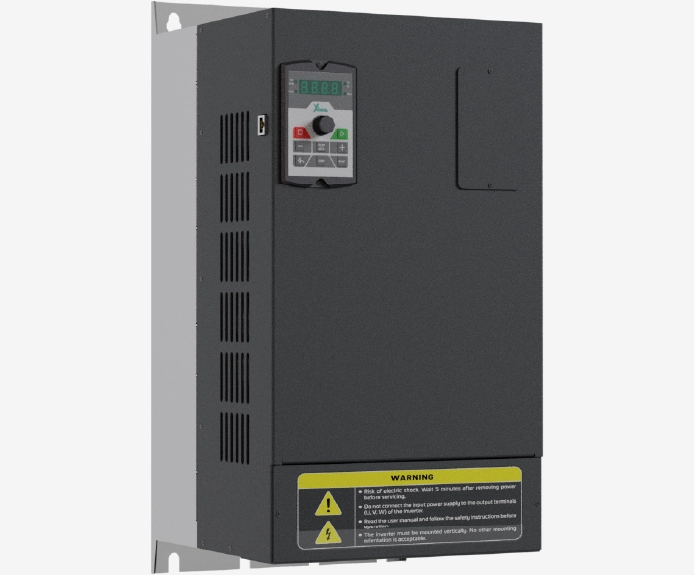
اینورتر 55 کیلووات سه فاز سری سولار پمپ
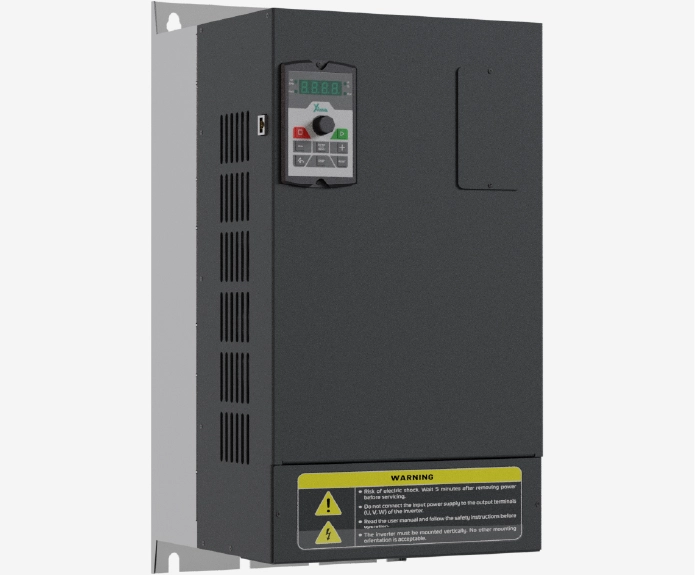
اینورتر 45 کیلووات سه فاز سری سولار پمپ
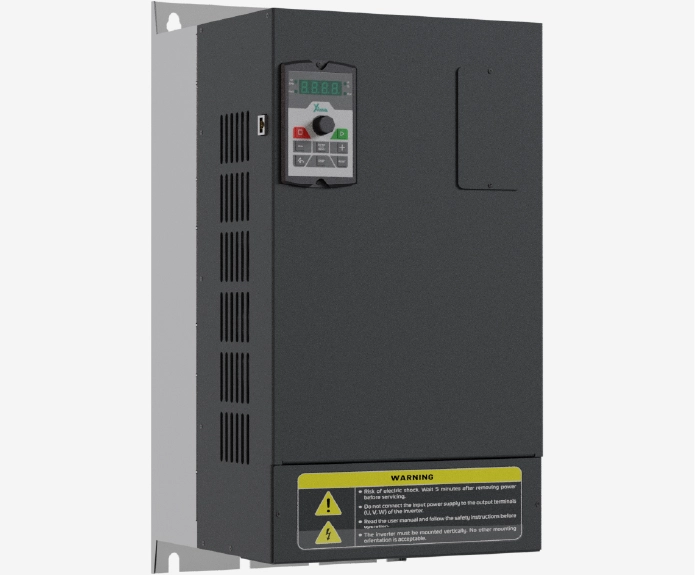
اینورتر 37 کیلووات سه فاز سری سولار پمپ
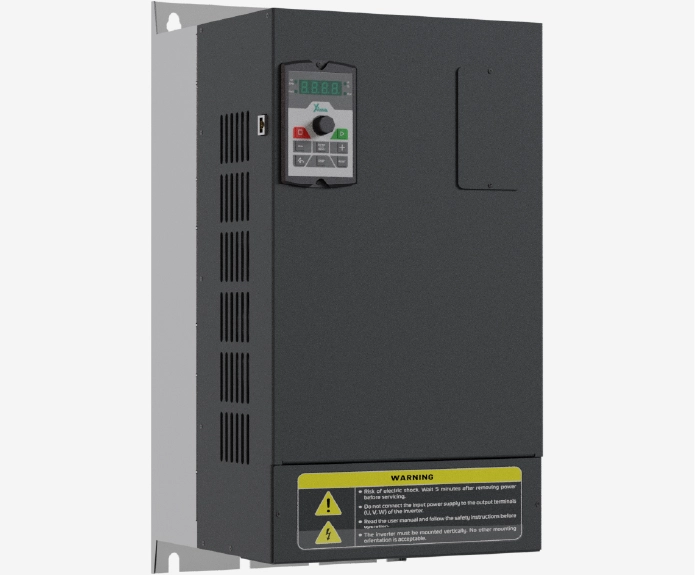
اینورتر 55 کیلووات سه فاز سری صنعتی
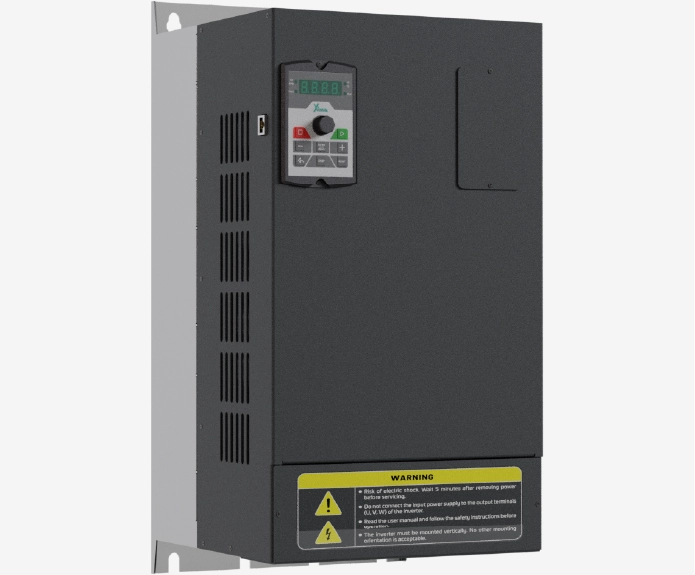
اینورتر 45 کیلووات سه فاز سری صنعتی
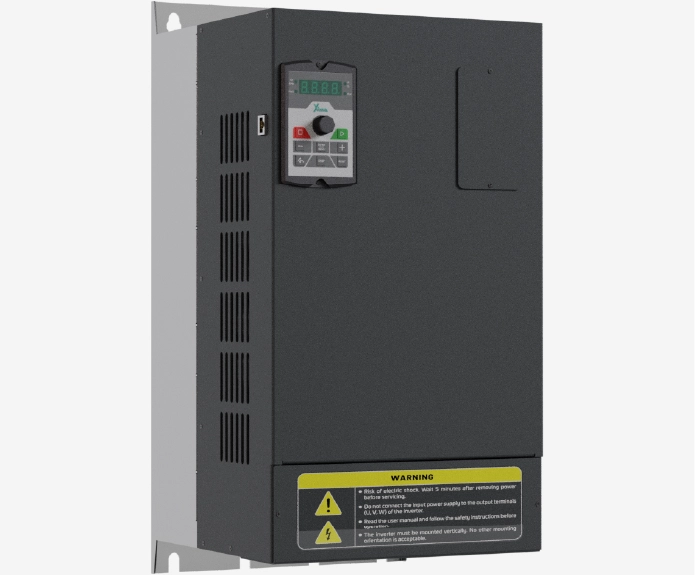
اینورتر 37 کیلووات سه فاز سری صنعتی
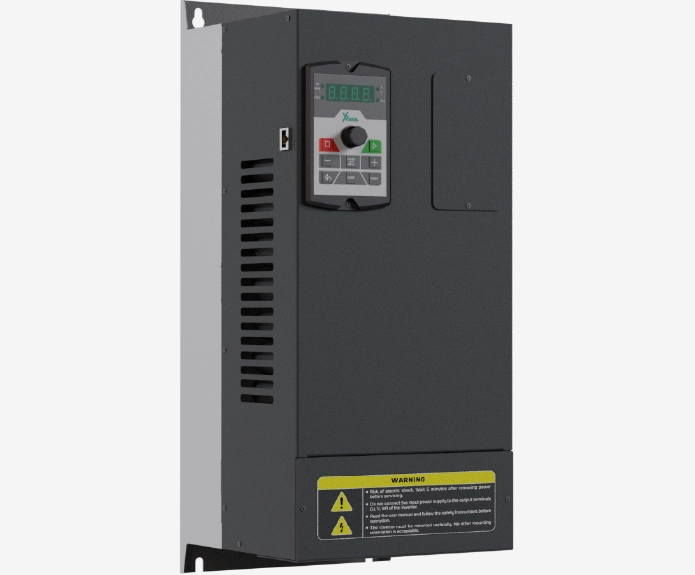
اینورتر 30 کیلووات سه فاز سری سولار پمپ
نظرات کاربران
دیدگاهها
هنوز دیدگاهی ثبت نشده است.