آموزش تنظیمات درایو زیما L100؛ راهاندازی، پارامترها و عیبیابی آسانسور

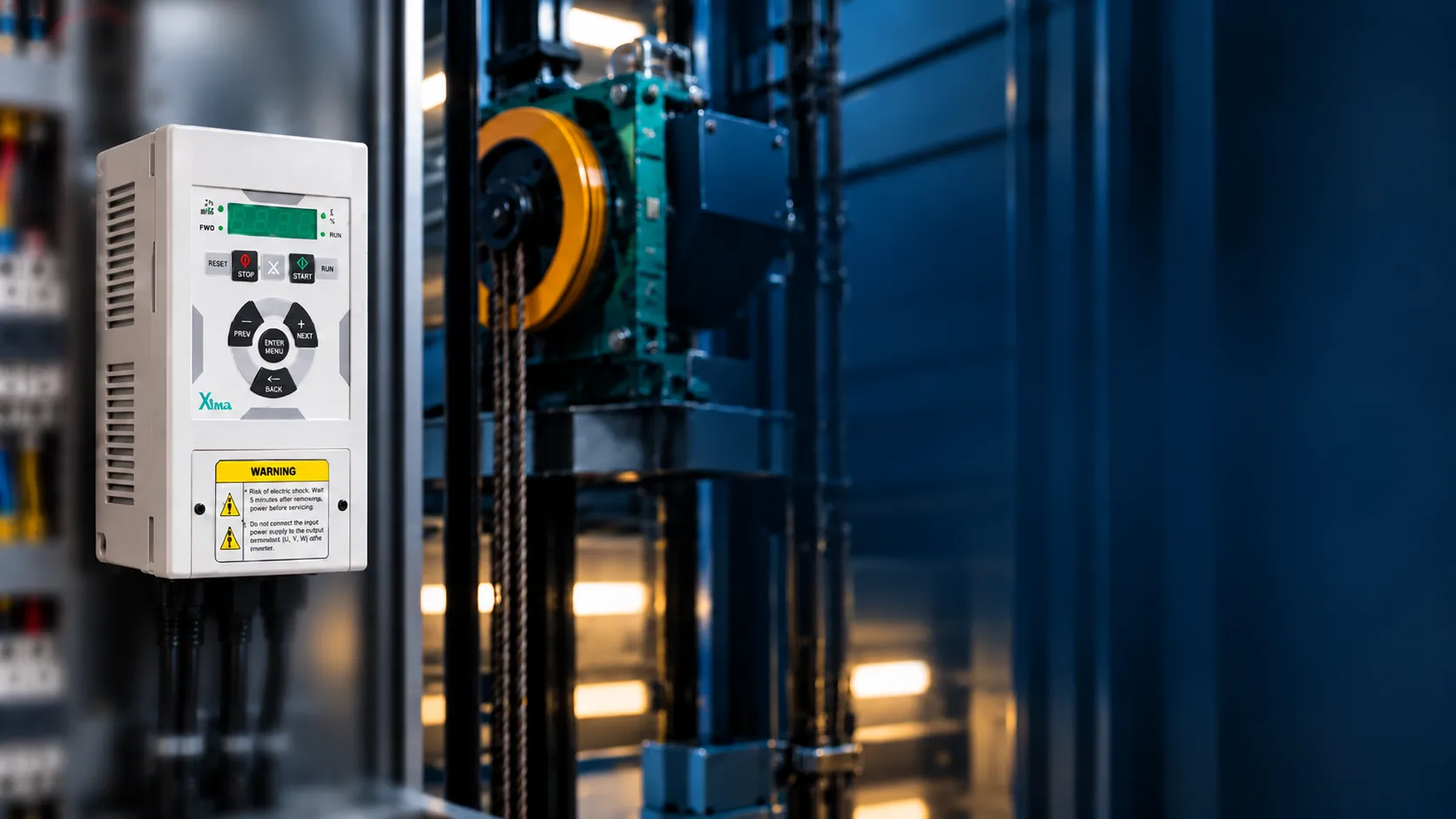
درایو L100 کدام بخشهای حرکت آسانسور را کنترل میکند؟
وقتی یک آسانسور در شروع حرکت ضربه میزند، در طبقه بهدرستی متوقف نمیشود یا سرعت مورد انتظار را ندارد، همیشه مشکل از موتور یا تجهیزات مکانیکی نیست. گاهی لازم است تنظیمات درایو و نحوه دریافت فرمان از تابلو بررسی شوند. البته تغییر پارامترها بدون شناخت عملکرد آنها هم میتواند مشکل تازهای ایجاد کند.
تنظیمات درایو زیما L100 مجموعهای از پارامترها برای کنترل سرعت، شتابگیری، کاهش سرعت، توقف در طبقات و هماهنگی فرمانهای حرکتی آسانسور است. این تنظیمات در چند گروه مشخص قرار دارند و هرکدام بخش متفاوتی از عملکرد سیستم را کنترل میکنند.
برای مثال، سرعت نرمال در PA01 تعریف میشود، اما این پارامتر بهتنهایی تعیین نمیکند کابین در چه زمانی با سرعت نرمال حرکت کند. انتخاب سرعت به فرمانهای تابلو و روش دریافت آنها نیز وابسته است. به همین ترتیب، توقف دقیق در طبقه فقط به کاهش سرعت موتور مربوط نمیشود و موقعیت سنسورها و روش توقف هم در آن نقش دارند.
در این آموزش، ابتدا با منوهای L100 آشنا میشویم، سپس سراغ پارامترهای مهم حرکت، کنترل موتور، توقف و عیبیابی میرویم تا مشخص شود هر تنظیم چه کاربردی دارد و هنگام بررسی عملکرد آسانسور باید به چه نکاتی توجه کرد.
نکته فنی و ایمنی: این راهنما برای تکنسینها و افراد آشنا با سیستمهای آسانسوری تهیه شده است. تغییر تنظیمات حرکت، ترمز و مدار فرمان باید توسط فرد واجد صلاحیت و متناسب با مشخصات واقعی تجهیزات انجام شود. هیچ مقدار ثابتی را نمیتوان برای تمام آسانسورها مناسب دانست.
پارامترهای درایو زیما L100؛ پیش از تغییر پارامترها این سه مورد را بررسی کنید
یکی از اشتباهات در بررسی مشکلات درایو این است که تکنسین مستقیماً سراغ تغییر سرعت یا شتاب میرود، درحالیکه هنوز مدل دقیق دستگاه یا مشخصات موتور را بررسی نکرده است.
برای شروع، سه موضوع اهمیت دارند.
۱. مدل دقیق دستگاه را بشناسید
در خانواده درایوهای آسانسوری زیما، مدلهای L100 و L200 وجود دارند که از نظر امکانات کنترلی یکسان نیستند.
L100 برای کنترل حلقهباز (Open Loop) موتورهای القایی یا آسنکرون طراحی شده است. در مقابل، L200 در نسخههای سازگار، امکانات بیشتری برای کنترل حلقهباز و حلقهبسته ارائه میکند.
بنابراین نمیتوان همه تنظیماتی را که برای L200 مطرح میشوند، به L100 تعمیم داد.
نکته دیگر اینکه کد کامل دستگاه اهمیت دارد. حتی درایوهایی با توان نامی یکسان ممکن است از نظر ولتاژ ورودی و خروجی متفاوت باشند.
اگر هنوز در مرحله انتخاب دستگاه هستید، بهتر است ابتدا با تفاوت درایوهای آسانسوری و نحوه انتخاب مدل مناسب موتور آشنا شوید.
۲. اطلاعات موتور را آماده داشته باشید
جریان نامی، ولتاژ، فرکانس، توان و دور موتور از اطلاعات پایهای هستند که برای شناخت تنظیمات موتور به آنها نیاز دارید.
برای مثال، پارامتر PB01 جریان نامی موتور را مشخص میکند. این عدد باید با مشخصات موتور متصل به دستگاه مطابقت داشته باشد، نه اینکه صرفاً از روی توان یا جریان خروجی درایو انتخاب شود.
۳. روش فرماندهی تابلو را مشخص کنید
درایو برای اجرای سرعتهای مختلف، باید فرمان مناسب را دریافت کند.
اگر سرعت نرمال بهدرستی تعریف شده باشد اما تابلو فرمان دیگری ارسال کند، صرفاً تغییر مقدار سرعت نرمال مشکل را حل نخواهد کرد.
به همین دلیل، شناخت ورودیهای کنترلی و روش انتخاب سرعت باید بخشی از بررسی اولیه باشد.
چطور وارد منوی L100 شویم و مقدار یک پارامتر را ببینیم؟
پنل درایو زیما L100 دارای نمایشگر چهاررقمی و کلیدهایی برای جابهجایی بین منوها، مشاهده مقادیر و اعمال تنظیمات است.
کلیدهای اصلی شامل Enter، Back، افزایش (+) و کاهش (−) هستند.
برای ورود به منوی پارامترها، کلید Enter را فشار دهید و رها کنید. اگر برای دستگاه رمز عبور تعریف شده باشد، ابتدا باید رمز معتبر وارد شود.
پس از ورود، نام آخرین گروه پارامتری انتخابشده روی نمایشگر ظاهر میشود. با کلیدهای مثبت و منفی میتوانید بین گروههای مختلف جابهجا شوید و با فشردن Enter وارد گروه موردنظر شوید.
برای مشاهده مقدار یک پارامتر، کافی است آن را انتخاب کرده و Enter را فشار دهید. در حالت ویرایش، مقدار پارامتر بهصورت چشمکزن نمایش داده میشود.
کاربرد کلیدها بهصورت خلاصه چنین است:
| کلید | کاربرد |
|---|---|
| Enter | ورود به گروه یا پارامتر و ذخیره تغییرات |
| + | حرکت به گزینه بعدی یا افزایش مقدار |
| − | حرکت به گزینه قبلی یا کاهش مقدار |
| Back | برگشت یا لغو تغییر ذخیرهنشده |
یک نکته مهم را فراموش نکنید: مشاهده یک پارامتر با تغییر دادن آن تفاوت دارد. بعضی پارامترها فقط در وضعیت توقف قابل تغییر هستند و برخی تغییرات ممکن است بر عملکرد موتور اثر مستقیم داشته باشند.
بهتر است قبل از هر تغییر مجاز، مقدار فعلی پارامتر ثبت شود تا امکان مقایسه وضعیت قبلی و جدید وجود داشته باشد.
Quick Menu؛ سه تنظیم اصلی برای شروع
یکی از قابلیتهای کاربردی L100، منوی سریع یا Quick Menu است. این منو برای دسترسی به سه پارامتر اصلی راهاندازی اولیه در حالت Open Loop در نظر گرفته شده است.
برای ورود به Quick Menu، کلید Enter را به مدت ۳ ثانیه نگه دارید.
در این بخش سه مقدار اصلی نمایش داده میشود:
| تنظیم | کاربرد |
|---|---|
| جریان نامی موتور | معرفی جریان واقعی موتور به درایو |
| فاصله آهنربای دورانداز تا طبقه | تعریف فاصله مرتبط با نزدیکشدن به طبقه |
| فاصله فرود | تعریف فاصله مرتبط با تراز کابین |
جریان نامی موتور چه تأثیری دارد؟
جریان نامی، یکی از اطلاعات اصلی موتور است که در تنظیمات دستگاه استفاده میشود.
نباید جریان نامی موتور را با جریان خروجی نامی درایو یکسان فرض کرد؛ این دو مشخصه، کاربرد متفاوتی دارند.
فاصله دورانداز و فاصله فرود چه تفاوتی دارند؟
فاصله دورانداز به موقعیت آهنربای مربوط به کاهش سرعت و نزدیکشدن به طبقه ارتباط دارد.
فاصله فرود نیز با موقعیت آهنرباهای Leveling در محدوده تراز طبقه مرتبط است.
این دو مقدار در تنظیم توقف دقیق اهمیت دارند، اما یکسان نیستند. در گروه PA، این مقادیر با نامهای X3 و X0 تعریف میشوند که در ادامه بررسیشان میکنیم.
Quick Menu دسترسی اولیه به این سه تنظیم را ساده میکند. بااینحال، برای بررسی دقیقتر عملکرد حرکت، سرعتها و فرمانها باید سایر گروههای پارامتری نیز شناخته شوند.
اگر برای بررسی یک پارامتر به محدوده قابل تنظیم، واحد اندازهگیری یا مقدار پیشفرض آن نیاز دارید، میتوانید جدول کامل پارامترهای درایوهای سری L زیما را مشاهده کنید و کد پارامتر موردنظر را در آن پیدا کنید.
کدام گروه پارامتری برای چه کاری است؟
پارامترهای L100 در چند گروه دستهبندی شدهاند. شناخت این دستهبندی باعث میشود برای بررسی هر موضوع مستقیماً به بخش مرتبط مراجعه کنید.
| گروه | کاربرد |
|---|---|
| PA | سرعت، شتاب، جرک و توقف آسانسور |
| PB | مشخصات نامی موتور |
| PC | ورودیها، خروجیها و انتخاب فرمان سرعت |
| PD | تنظیمات سیستمی |
| PF | توابع حفاظتی |
| PG | مشاهده وضعیت ورودیها و خروجیها |
| PH | تاریخچه خطاها و اطلاعات کارکرد |
گروه PE به کنترل حلقهبسته اختصاص دارد و پارامترهای این گروه در L100 موجود نیستند.
برای بررسی سرعت و حرکت، گروه PA اهمیت بیشتری دارد. اگر مسئله مربوط به مشخصات موتور باشد، باید به PB توجه کرد و اگر رفتار دستگاه با فرمانهای تابلو مطابقت ندارد، گروه PC از بخشهای مرتبط خواهد بود.
چهار سرعت اصلی کابین را بشناسید
حرکت آسانسور فقط با یک سرعت انجام نمیشود. برای شرایط مختلف، از جمله حرکت نرمال، حرکت میانی، ریویزیون و ترازشدن در طبقه، سرعتهای جداگانه تعریف شدهاند.
در L100، چهار پارامتر اصلی سرعت در گروه PA قرار دارند:
| پارامتر | نام انگلیسی | کاربرد |
|---|---|---|
| PA01 | Normal Speed | سرعت نرمال |
| PA02 | Intermediate Speed | سرعت میانی |
| PA03 | Inspection Speed | سرعت ریویزیون |
| PA04 | Leveling Speed | سرعت پیادهروی |
بازه قابل تعریف برای هر چهار پارامتر، ۰ تا ۲٫۵ متر بر ثانیه است. این بازه فقط محدوده تنظیم نرمافزاری است و به معنای مجاز بودن تمام مقادیر برای هر آسانسور نیست.
سرعت نرمال و میانی
PA01 سرعت نرمال را مشخص میکند؛ سرعتی که در پروفیل حرکت معمولی آسانسور کاربرد دارد.
PA02 برای سرعت میانی تعریف شده است. استفاده از این سرعت به منطق فرماندهی تابلو بستگی دارد.
پس اگر کابین با سرعت مورد انتظار حرکت نمیکند، علاوه بر مقدار سرعت، باید بررسی شود کدام فرمان سرعت به درایو رسیده است.
سرعت ریویزیون
PA03 سرعت Inspection یا ریویزیون را مشخص میکند.
این سرعت مستقل از سرعت نرمال است و استفاده از آن باید مطابق شرایط کنترل و الزامات ایمنی آسانسور انجام شود.
سرعت پیادهروی
PA04 یکی از پارامترهای مهم در مرحله نزدیکشدن و ترازشدن کابین با طبقه است.
سرعت پیادهروی با مرحله نهایی حرکت مرتبط است. اگر کابین هنگام رسیدن به طبقه رفتار غیرمنتظرهای دارد، PA04 میتواند یکی از بخشهای مورد بررسی باشد؛ اما موقعیت سنسورها، روش توقف و وضعیت مکانیکی نیز اهمیت دارند.
نکته کلیدی: مقدار سرعتی که در منو تعریف شده، لزوماً همان سرعتی نیست که در هر لحظه اجرا میشود. فرمان انتخاب سرعت باید با تنظیمات درایو هماهنگ باشد.
شتاب و جرک؛ چرا فقط تنظیم سرعت کافی نیست؟
دو آسانسور ممکن است سرعت نرمال یکسانی داشته باشند، اما نحوه شروع حرکت و توقف آنها متفاوت باشد.
دلیل این تفاوت میتواند به شکل منحنی حرکت مربوط باشد؛ یعنی اینکه سرعت با چه شتابی افزایش یا کاهش پیدا میکند و این شتاب چقدر نرم تغییر میکند.
برای شناخت این رفتار، دو مفهوم مهم وجود دارد:
شتاب (Acceleration) نرخ تغییر سرعت در زمان است.
جرک (Jerk) نرخ تغییر شتاب است.
پارامترهای مرتبط با این دو مفهوم در L100 عبارتاند از:
| پارامتر | کاربرد |
|---|---|
| PA05 | شتابگیری |
| PA06 | جرک ابتدای شتابگیری |
| PA07 | جرک انتهای شتابگیری |
| PA11 | کاهش سرعت |
| PA12 | جرک ابتدای کاهش سرعت |
| PA13 | جرک انتهای کاهش سرعت |
لرزش هنگام شروع حرکت به چه عواملی ارتباط دارد؟
اگر کابین در شروع حرکت لرزش داشته باشد، بررسی پروفیل شتابگیری یکی از بخشهای تحلیل فنی است.
پارامترهای PA05 و PA06 در این بخش نقش دارند؛ بااینحال، نباید فرض کرد که هر لرزش با تغییر همین دو مقدار برطرف میشود.
شرایط بار، عملکرد ترمز و عوامل مکانیکی نیز میتوانند در رفتار حرکتی سیستم مؤثر باشند.
برای تشخیص درست، لازم است مشخص شود لرزش دقیقاً در کدام مرحله رخ میدهد: پیش از شروع حرکت، در لحظه آغاز حرکت یا هنگام افزایش سرعت.
این تفاوت کمک میکند بخش مرتبط با مشکل دقیقتر شناسایی شود.
چرا تغییر همزمان چند پارامتر منطقی نیست؟
وقتی چند مقدار حرکتی همزمان تغییر کنند، تشخیص اثر هر تغییر دشوار میشود.
برای بررسی فنی قابلپیگیری، بهتر است وضعیت اولیه ثبت شود، علت احتمالی مشخص شود و هر تغییر مجاز بهصورت کنترلشده و با ارزیابی نتیجه انجام گیرد.
هدف، رسیدن به تنظیمی متناسب با شرایط واقعی آسانسور است، نه صرفاً تغییر اعداد تا زمانی که رفتار ظاهراً بهتر شود.
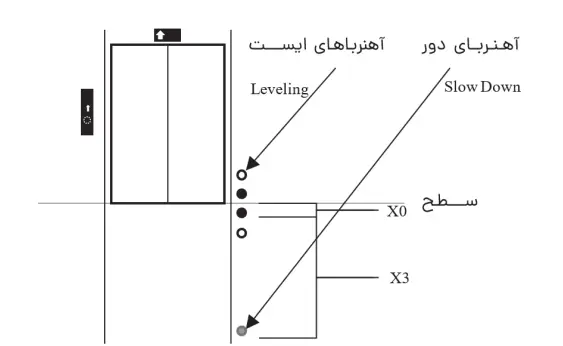
X3 و X0 چه نقشی در توقف دقیق طبقه دارند؟
در مرحله توقف، سرعت تنها عامل تعیینکننده نیست. موقعیت آهنرباها و فاصلههای تعریفشده نیز در روش توقف مبتنی بر فاصله نقش دارند.
دو پارامتر اصلی این بخش عبارتاند از:
| پارامتر | نام | مفهوم |
|---|---|---|
| PA08 | X3 | فاصله آهنربای دورانداز تا سطح طبقه |
| PA09 | X0 | نصف فاصله بین دو آهنربای Leveling |
X3؛ فاصله مرتبط با دورانداز
PA08 فاصله آهنربای دورانداز تا سطح طبقه را مشخص میکند.
این مقدار در روش Distance Approach استفاده میشود و با موقعیت واقعی آهنرباها ارتباط دارد.
X0؛ فاصله مرتبط با تراز طبقه
PA09 نصف فاصله بین دو آهنربای Leveling را مشخص میکند.
تأکید روی عبارت «نصف فاصله» ضروری است؛ زیرا X0 با فاصله کامل دو آهنربا تعریف نشده است.
اگر کابین در طبقه دقیق متوقف نمیشود، از کجا شروع کنیم؟
در چنین شرایطی باید ابتدا روش توقف، وضعیت سنسورها و فاصلههای تعریفشده بررسی شوند.
برای مثال، اگر سیستم از توقف مبتنی بر فاصله استفاده میکند، PA08 و PA09 از پارامترهای مرتبط هستند. اما اگر روش توقف متفاوتی انتخاب شده باشد، مجموعه پارامترهای مورد استفاده نیز تغییر میکند.
به همین دلیل، پیش از تغییر سرعت پیادهروی یا فاصلهها، لازم است نوع روش توقف مشخص باشد.
انتخاب روش توقف با PA10
پارامتر PA10 مشخص میکند درایو از کدام روش توقف استفاده کند.
دو حالت اصلی به این صورت تعریف شدهاند:
| مقدار PA10 | روش توقف | پارامترهای مرتبط |
|---|---|---|
| ۰ | Distance Approach | PA08 و PA09 |
| ۱ | Deceleration Approach | PA11 تا PA13 |
Distance Approach
در این روش، فاصلههای تعریفشده برای دورانداز و تراز طبقه در فرآیند توقف استفاده میشوند.
بنابراین، آشنایی با X3 و X0 برای شناخت این روش اهمیت دارد.
Deceleration Approach
در این حالت، توقف بر اساس پارامترهای کاهش سرعت و جرک مربوط به آن انجام میشود.
PA11، PA12 و PA13 از پارامترهای اصلی این روش هستند.
تفاوت این دو روش نشان میدهد چرا یک تنظیم ثابت برای همه سیستمها قابل استفاده نیست. روش توقف باید با طراحی و شرایط کنترلی آسانسور هماهنگ باشد.
اطلاعات موتور در گروه PB چگونه تعریف میشوند؟
تا اینجا بیشتر درباره حرکت کابین صحبت کردیم؛ اما درایو برای کنترل موتور به اطلاعات الکتریکی و نامی آن نیز نیاز دارد.
این اطلاعات در گروه PB قرار دارند.
| پارامتر | کاربرد |
|---|---|
| PB01 | جریان نامی موتور |
| PB02 | ولتاژ نامی موتور |
| PB03 | فرکانس نامی موتور |
| PB04 | سرعت نامی سیستم با واحد متر بر ثانیه |
| PB07 | توان نامی موتور |
| PB08 | تعداد جفتقطبهای موتور |
| PB09 | دور نامی موتور با واحد rpm |
تفاوت PB04 و PB09 چیست؟
اگرچه هر دو پارامتر با سرعت ارتباط دارند، اما یک مفهوم را بیان نمیکنند.
PB04 با واحد متر بر ثانیه تعریف شده است؛ درحالیکه PB09 دور نامی موتور را بر حسب دور بر دقیقه مشخص میکند.
این تفاوت هنگام بررسی مشخصات موتور و سرعت حرکت اهمیت دارد.
آیا جریان موتور باید برابر جریان خروجی درایو باشد؟
خیر. جریان نامی موتور باید از روی مشخصات معتبر خود موتور تعیین شود.
جریان خروجی نامی درایو بیانگر ظرفیت مشخصشده برای دستگاه است و نباید آن را بدون بررسی، بهعنوان مقدار جریان نامی موتور وارد کرد.
در بررسی گروه PB، مهمترین اصل این است که پارامترها با تجهیز واقعی نصبشده هماهنگ باشند.
اگر فرمان سرعت اجرا نمیشود، PC01 را بشناسید
یکی از موقعیتهایی که در بررسی عملکرد درایو اهمیت دارد، زمانی است که سرعتها در گروه PA تعریف شدهاند، اما سیستم رفتار مورد انتظار را نشان نمیدهد.
در چنین شرایطی باید روش دریافت و انتخاب فرمان سرعت نیز بررسی شود.
پارامتر PC01 با عنوان Speed Input Method برای همین موضوع تعریف شده است.
این پارامتر تعیین میکند درایو با چه منطقی فرمان سرعت را دریافت و انتخاب کند.
از روشهای قابل انتخاب میتوان به انتخاب سرعت بر اساس اولویت ورودیها، روش باینری و روشهای ارتباط سریال پشتیبانیشده اشاره کرد.
برای مثال، اگر روش انتخاب سرعت در درایو با شیوه فرماندهی تابلو هماهنگ نباشد، تغییر PA01 یا PA02 لزوماً باعث اجرای سرعت مورد انتظار نمیشود.
در بررسی این وضعیت، شناخت روش فرماندهی تابلو بهاندازه شناخت خود پارامترهای سرعت اهمیت دارد.
هشدار ایمنی درباره حالتهای PC01
در پارامتر PC01، حالتهای ۵ و ۶ برای کاربردهای بالابر باربری تعریف شدهاند و ایمنی لازم برای جابهجایی مسافر را تأمین نمیکنند. بنابراین این حالتها نباید برای آسانسورهای نفربر انتخاب شوند.
انتخاب روش دریافت فرمان سرعت باید با نوع کاربری، طراحی تابلو فرمان و الزامات ایمنی سیستم مطابقت داشته باشد. هرگونه تغییر در این تنظیمات یا اتصالات مربوط به آن نیز باید توسط تکنسین واجد صلاحیت انجام شود.
Brake Sequence؛ هماهنگی ترمز با حرکت موتور
در آسانسور، شروع حرکت و توقف باید با عملکرد ترمز مکانیکی هماهنگ باشد.
در L100، بخش Brake Sequence به توالی زمانی مرتبط با فرمان ترمز اختصاص دارد.
سه پارامتر مهم در این بخش عبارتاند از:
| پارامتر | عنوان |
|---|---|
| PA14 | Brake on Delay |
| PA15 | Brake off Delay |
| PA16 | Brake Start Delay |
این پارامترها به مراحل مختلف زمانبندی فرمان حرکت، خروجی PWM و عملکرد ترمز مربوطاند.
اهمیت این بخش در هماهنگی میان فرمان کنترلی و وضعیت واقعی سیستم است. صرف صادر شدن یک فرمان نرمافزاری، بهتنهایی به معنای تأیید عملکرد صحیح تمام اجزای مکانیکی و الکتریکی نیست.
به همین دلیل، بررسی توالی ترمز باید در کنار وضعیت مدار فرمان، کنتاکتورها، فیدبکها و ترمز مکانیکی انجام شود.
تنظیم زمانبندی این بخش، مستقیماً با ایمنی آسانسور ارتباط دارد و باید متناسب با طراحی سیستم و توسط متخصص انجام شود.
وضعیت ورودیها و خروجیها را از کجا ببینیم؟
وقتی درایو روشن است اما رفتار مورد انتظار را نشان نمیدهد، یکی از اطلاعات مفید، وضعیت ورودیها و خروجیهای دیجیتال آن است.
در L100، گروه PG برای مانیتورینگ این وضعیتها در نظر گرفته شده است.
| پارامتر | کاربرد |
|---|---|
| PG01 | مشاهده وضعیت ورودیهای دیجیتال |
| PG02 | مشاهده وضعیت خروجیهای دیجیتال |
این دو پارامتر از نوع فقطخواندنی هستند؛ یعنی برای نمایش وضعیت استفاده میشوند، نه تغییر مستقیم آن.
چرا مانیتورینگ ورودیها مهم است؟
برای مثال، اگر درایو فرمان حرکت را اجرا نمیکند، دانستن وضعیت واقعی ورودیهای کنترلی میتواند در بررسی فنی مؤثر باشد.
بهجای اینکه مستقیماً یک پارامتر حرکتی تغییر کند، میتوان ابتدا وضعیت فرمانهای دریافتشده را بررسی کرد و مشخص کرد آیا مسئله به فرماندهی مربوط است یا باید بخش دیگری بررسی شود.
این کار، مسیر عیبیابی را روشنتر میکند.
چطور تاریخچه خطاها را بررسی کنیم؟
کد خطایی که روی نمایشگر ظاهر میشود، بخشی از اطلاعات وضعیت دستگاه است. اما برای بررسی دقیقتر، مشاهده خطاهای قبلی نیز اهمیت دارد.
در L100، گروه PH برای نمایش تاریخچه خطاها و بعضی اطلاعات کارکرد استفاده میشود.
- PH01 آخرین خطای ثبتشده را نمایش میدهد.
- PH02 خطای قبل از آخرین خطا را نشان میدهد.
- پارامترهای بعدی این گروه برای نمایش خطاهای قدیمیتر و اطلاعات مشخصشده دستگاه استفاده میشوند.
هشدار inhi به چه معناست؟
هشدار inhi در L100 به فعال نبودن ورودی Enable مربوط است.
این پیام باید از خطاهای دیگر دستگاه تفکیک شود و وضعیت فرمان مجازسازی مطابق مدار کنترلی بررسی شود.
اگر خطا بعد از ریست دوباره ظاهر شد چه کنیم؟
تکرار یک خطا نشان میدهد که لازم است علت آن بررسی شود. ریست مکرر بدون مشخصشدن دلیل خطا، جایگزین عیبیابی نیست.
برای بررسی معنی کدها و علتهای احتمالی، میتوانید از جدول خطاهای درایو زیما و توضیح هر کد استفاده کنید.
پنج نشانه مهم در بررسی عملکرد L100
هنگام بررسی یک سیستم، بهتر است بهجای تغییر تصادفی تنظیمات، از علامتی که مشاهده میشود به بخش مرتبط برسیم.
جدول زیر یک مسیر اولیه برای شناخت پارامترها و بخشهای قابل بررسی است:
| وضعیت | بخشهای مرتبط |
|---|---|
| سرعت مورد انتظار اجرا نمیشود | PA01 تا PA04 و PC01 |
| لرزش هنگام شروع حرکت | شتاب، جرک و عوامل مکانیکی |
| توقف در تراز طبقه دقیق نیست | PA08، PA09، روش توقف و وضعیت سنسورها |
| فرمان حرکت اجرا نمیشود | PC01، ورودیها و وضعیت Enable |
| دستگاه کد خطا نمایش میدهد | تاریخچه PH و بررسی کد خطا |
این موارد، علت قطعی مشکل را مشخص نمیکنند؛ بلکه نشان میدهند هر علامت با کدام بخشهای دستگاه ارتباط بیشتری دارد.
۱. کابین با سرعت مورد انتظار حرکت نمیکند
ابتدا باید بین مقدار سرعت تعریفشده و فرمان انتخاب سرعت تفاوت قائل شد.
در این وضعیت، پارامترهای PA و روش انتخاب سرعت در PC01 از موارد مرتبط هستند.
۲. کابین هنگام شروع حرکت لرزش دارد
شتاب و جرک از عوامل مرتبط با نحوه شروع حرکتاند. همچنین وضعیت ترمز و عوامل مکانیکی باید در بررسی لحاظ شوند.
تغییر سرعت نرمال، بهتنهایی راهحل مشخصی برای هر نوع لرزش نیست.
۳. توقف در طبقه دقیق نیست
روش توقف، موقعیت آهنرباها، سرعت Leveling و فاصلههای X3 و X0 از موضوعات مرتبط هستند.
نکته مهم، شناخت روش توقف انتخابشده پیش از بررسی پارامترهای آن است.
۴. درایو روشن است اما حرکت انجام نمیشود
در این حالت باید وضعیت فرمانها و ورودیهای مرتبط بررسی شود.
PC01 و وضعیت ورودیهای دیجیتال از بخشهایی هستند که اطلاعات مفیدی برای تحلیل ارائه میکنند.
۵. خطا فقط در یک مرحله از حرکت رخ میدهد
زمان بروز خطا اهمیت دارد. خطایی که هنگام شتابگیری رخ میدهد، الزاماً با خطایی که هنگام کاهش سرعت ظاهر میشود، شرایط یکسانی ندارد.
ثبت کد خطا و مرحله وقوع آن، اطلاعات لازم برای بررسی تخصصی را دقیقتر میکند.
قبل از پایان کار، چه اطلاعاتی را ثبت کنیم؟
تنظیمات درایو فقط برای راهاندازی اولیه اهمیت ندارند. ثبت اطلاعات میتواند در نگهداری، مراجعه بعدی یا بررسی مشکلات احتمالی مفید باشد.
یک چکلیست فنی مناسب شامل این موارد است:
- کد کامل مدل و نسخه دستگاه.
- مشخصات نامی موتور.
- مقادیر اصلی گروه PB.
- سرعتهای تعریفشده در PA01 تا PA04.
- روش توقف و پارامترهای مرتبط.
- روش انتخاب فرمان سرعت در PC01.
- وضعیت تأییدشده فرمانها و مدارهای ایمنی.
- کدهای خطای احتمالی و شرایط وقوع آنها.
- تاریخ بررسی و مشخصات تکنسین مسئول.
با ثبت این اطلاعات، تغییرات بعدی قابل پیگیری خواهند بود و هنگام تماس با پشتیبانی، توضیح وضعیت دستگاه سادهتر میشود.
پرسشهای متداول
برای ورود به Quick Menu در L100 چه باید کرد؟
کلید Enter را به مدت ۳ ثانیه نگه دارید. در این منو سه پارامتر جریان نامی موتور، فاصله دورانداز و فاصله فرود نمایش داده میشوند.
پارامتر سرعت نرمال کدام است؟
PA01 سرعت نرمال را مشخص میکند. PA02 سرعت میانی، PA03 سرعت ریویزیون و PA04 سرعت پیادهروی را تعیین میکنند.
تفاوت PA08 و PA09 چیست؟
PA08 فاصله آهنربای دورانداز تا سطح طبقه است؛ اما PA09 نصف فاصله میان دو آهنربای Leveling را مشخص میکند.
کدام پارامتر روش توقف را تعیین میکند؟
PA10 برای انتخاب روش توقف استفاده میشود. مقدار ۰ مربوط به Distance Approach و مقدار ۱ مربوط به Deceleration Approach است.
اطلاعات موتور در کدام گروه قرار دارند؟
اطلاعات نامی موتور در گروه PB تعریف شدهاند. از جمله این اطلاعات میتوان به جریان، ولتاژ، فرکانس، توان و دور نامی اشاره کرد.
آیا تنظیمات L200 روی L100 قابل استفادهاند؟
نباید تمام تنظیمات L200 را به L100 تعمیم داد. L100 برای کنترل حلقهباز موتور القایی معرفی شده و پارامترهای حلقهبسته در آن موجود نیستند.
چرا تغییر مقدار سرعت همیشه نتیجه مورد انتظار را ایجاد نمیکند؟
چون علاوه بر مقدار سرعت، نحوه انتخاب و دریافت فرمان سرعت نیز اهمیت دارد. روش فرماندهی تابلو باید با تنظیمات ورودیهای درایو هماهنگ باشد.
آیا میتوان همه مقادیر را روی پیشفرض گذاشت؟
مقادیر پیشفرض، مقادیر اولیه نرمافزار هستند و لزوماً با شرایط هر آسانسور مطابقت ندارند. تنظیم نهایی به مشخصات موتور، مدار فرمان و شرایط واقعی سیستم وابسته است.
جمعبندی؛ از شناخت پارامتر تا عملکرد صحیح آسانسور
برای کار با L100، مهمتر از حفظکردن شماره پارامترها، شناخت ارتباط آنها با عملکرد سیستم است.
گروه PA سرعت، شتاب، جرک و توقف را پوشش میدهد. گروه PB اطلاعات نامی موتور را مشخص میکند و گروه PC به نحوه دریافت فرمانهای کنترلی مربوط است. در کنار این بخشها، گروههای PG و PH اطلاعات مفیدی برای مشاهده وضعیت ورودیها و خروجیها و بررسی خطاهای ثبتشده ارائه میکنند.
وقتی این بخشها در کنار یکدیگر بررسی شوند، تشخیص ارتباط میان یک علامت حرکتی و پارامترهای مرتبط، دقیقتر خواهد بود.
نکته اساسی این است که تنظیم درست درایو، تنظیم متناسب با مشخصات واقعی موتور، تابلو فرمان و سیستم مکانیکی آسانسور است؛ نه صرفاً انتخاب یک عدد از جدول پارامترها.
اگر قصد بررسی مشخصات دستگاه یا انتخاب مدل دیگری را دارید، میتوانید درایوهای آسانسوری و بالابر زیما را ببینید. همچنین برای بررسی مشکلاتی که با تنظیمات معمول برطرف نشدهاند، پشتیبانی فنی و خدمات پس از فروش زیما مسیر ارتباط با کارشناسان را در اختیار شما قرار میدهد.
When an elevator jerks during startup, stops slightly above or below floor level, or fails to reach the expected speed, the problem is not necessarily caused by the motor or mechanical components. In some cases, the drive configuration or the way the elevator controller communicates with the drive needs to be examined.
However, changing parameters without understanding their functions can introduce new problems rather than solve existing ones.
XIMA L100 drive settings cover several essential aspects of elevator operation, including motor speed, acceleration, deceleration, floor leveling, stopping behavior, and control signals. These settings are organized into dedicated parameter groups, each responsible for a different part of the system.
For example, PA01 defines the normal operating speed, but it does not independently determine when the elevator will travel at that speed. The actual speed selection also depends on signals received from the elevator controller and the configured speed input method.
Similarly, accurate floor leveling involves more than reducing motor speed. Sensor positions, stopping distances, and the selected stopping method all contribute to the final result.
In this guide, we will explore the XIMA L100 control panel, Quick Menu, motor parameters, speed settings, stopping methods, and monitoring functions. You will also learn which parameters are relevant when investigating common elevator operating problems.
Technical and Safety Note: This guide is intended for qualified elevator technicians and professionals familiar with elevator control systems. Any adjustments affecting elevator movement, braking, or control circuits must be performed by competent personnel in accordance with the equipment specifications and applicable safety requirements. No single set of parameter values is suitable for every elevator installation.
What Should You Check Before Changing Any Parameters?
One of the most common mistakes during drive troubleshooting is adjusting speed or acceleration settings before identifying the exact drive model, motor specifications, or control method.
Before making any changes, focus on three essential checks.
1. Identify the Exact Drive Model
The XIMA elevator drive family includes the L100 and L200 series. Although both belong to the same product family, their control capabilities are not identical.
The XIMA L100 is designed for open-loop control of induction (asynchronous) motors. Compatible L200 versions offer additional capabilities for open-loop and closed-loop applications.
Therefore, settings intended for the L200 should not automatically be applied to an L100 drive.
The complete model code also matters. Two drives with the same rated power may have different input and output voltage specifications.
If you are still selecting a drive for a new installation, understanding how to choose the right elevator drive for geared and gearless motors can help you assess the compatibility between the motor and drive before commissioning.
2. Have the Motor Nameplate Information Ready
Motor nameplate data is essential for accurate drive configuration.
The main specifications to identify include:
- Rated current: The motor’s specified operating current.
- Rated voltage: The nominal voltage of the motor.
- Rated frequency: The frequency specified by the motor manufacturer.
- Rated power: The motor’s nominal power rating.
- Rated speed: The motor’s nominal rotational speed.
For example, parameter PB01 defines the motor’s rated current.
This value should correspond to the actual motor connected to the drive. It should not be chosen simply by looking at the drive’s power rating or rated output current.
3. Identify the Elevator Controller’s Command Method
The elevator controller sends commands that determine how the drive operates.
Even if the normal speed has been configured correctly, the elevator may not run at that speed if the controller is requesting a different speed.
This is why understanding the control inputs and speed selection method is just as important as knowing the speed parameter values.
Before adjusting the drive, determine how the elevator controller sends movement and speed commands.
How Do You Access and Navigate the L100 Parameter Menu?
The XIMA L100 control panel features a four-digit display and dedicated keys for navigating menus, viewing parameter values, and making authorized adjustments.
The main navigation keys are:
- Enter: Opens parameter groups, selects parameters, and saves changes.
- + / NEXT: Moves to the next option or increases a selected value.
- − / PREV: Moves to the previous option or decreases a selected value.
- Back: Returns to the previous menu or cancels an unsaved change.
Accessing the Main Parameter Menu
To open the parameter menu, press and release the Enter key.
If password protection has been enabled, the correct password must be entered first.
The display then shows the previously selected parameter group.
Use the + and − keys to navigate between available groups. Once you reach the required group, press Enter to access its parameters.
Within the group, use the same navigation keys to locate the parameter you want to inspect.
Viewing and Editing a Parameter
After selecting a parameter, press Enter to display its value.
When the drive enters editing mode, the parameter value flashes on the display.
The navigation keys can then be used to adjust the value, and Enter saves an authorized change.
Pressing Back cancels an unsaved change or returns to the previous menu.
Important: Viewing a parameter and changing it are two different operations. Certain parameters can only be modified while the drive is stopped, and some adjustments can directly affect motor operation.
Before modifying any permitted setting, record its existing value. This makes it easier to compare the system’s behavior before and after an adjustment.
Quick Menu: Three Essential Settings for Initial Setup
One of the practical features of the XIMA L100 is its Quick Menu, which provides access to three key parameters used during initial open-loop setup.
To access the Quick Menu, press and hold the Enter key for three seconds.
The menu contains three main settings:
- Motor Rated Current: Defines the rated current of the connected motor.
- Deceleration Magnet Distance: Defines the distance associated with the elevator’s approach to the landing.
- Leveling Distance: Defines the distance associated with the elevator car’s final positioning at floor level.
These parameters provide a simplified starting point for open-loop commissioning.
Why Does Motor Rated Current Matter?
Rated current is one of the fundamental electrical characteristics of a motor.
The value entered in the drive must correspond to the actual motor specifications.
It is important to distinguish between the motor’s rated current and the drive’s rated output current.
The drive’s output current rating describes the capacity of the drive, while the motor’s rated current describes the connected motor.
They should not automatically be treated as identical values.
What Is the Difference Between Deceleration Distance and Leveling Distance?
The deceleration magnet distance relates to the position at which the elevator begins its approach toward the landing.
The leveling distance relates to the arrangement of the leveling magnets used near the final stopping position.
Both are relevant to accurate stopping, but they represent different distances.
In the PA parameter group, these values are identified as X3 and X0, which we will examine in more detail later.
Although the Quick Menu simplifies access to the initial settings, more detailed configuration of speed, acceleration, stopping behavior, and control commands is available through the main parameter menu.
For parameter ranges, default values, and further technical documentation, visit the XIMA technical downloads section.
Understanding the Main Parameter Groups
The L100 organizes its settings into different parameter groups.
Knowing the purpose of each group makes it easier to locate relevant information without navigating through unrelated settings.
The main groups include:
- PA — Motion Parameters: Controls elevator speed, acceleration, jerk, and stopping behavior.
- PB — Motor Parameters: Contains the motor’s rated electrical and mechanical specifications.
- PC — Input and Output Settings: Defines control inputs, outputs, and speed selection methods.
- PD — System Settings: Contains parameters related to general system operation.
- PE — Closed-Loop Parameters: Associated with closed-loop control and not available on the L100.
- PF — Protection Functions: Contains settings related to protective functions.
- PG — Monitoring Parameters: Displays the status of digital inputs and outputs.
- PH — Fault History: Provides access to recorded faults and operating information.
If you need to review elevator movement or speed, the PA group is particularly relevant.
For motor data, the PB group is the appropriate starting point.
When the drive’s behavior does not match the commands sent by the controller, the PC group becomes important.
This separation helps technicians approach drive settings systematically rather than changing parameters through trial and error.
The Four Main Elevator Speed Parameters
An elevator does not necessarily operate at one constant speed throughout its journey.
Different speeds may be used for normal travel, intermediate movement, inspection operation, and final floor leveling.
The L100 provides four main speed parameters in the PA group.
- PA01 — Normal Speed: Defines the elevator’s normal travel speed.
- PA02 — Intermediate Speed: Defines an intermediate operating speed.
- PA03 — Inspection Speed: Defines the speed used during inspection operation.
- PA04 — Leveling Speed: Defines the low-speed movement associated with final landing approach and leveling.
The configurable software range for these parameters is 0 to 2.5 m/s.
This is the drive’s parameter range, not a statement that every speed within that range is permissible for every elevator installation.
Normal Speed and Intermediate Speed
PA01 specifies Normal Speed, which is used in the elevator’s standard travel profile.
PA02 specifies Intermediate Speed.
Whether and when the drive uses these speeds depends on the elevator controller’s command logic.
If the elevator is not traveling at the expected speed, check which speed command the controller is requesting before assuming that the speed parameter itself is incorrect.
Inspection Speed
PA03 defines Inspection Speed.
This speed is separate from normal operating speed and must be configured and used in accordance with the elevator’s control design and safety requirements.
Leveling Speed
PA04 defines Leveling Speed.
This parameter is particularly relevant during the final stage of approaching and aligning the car with a landing.
If the elevator behaves unexpectedly near floor level, PA04 may be one of the parameters to examine.
However, sensor positions, the selected stopping method, and mechanical conditions must also be considered.
Key point: A speed value configured in the drive is not necessarily the speed being executed at a particular moment. The requested speed must be correctly selected through the controller and drive configuration.
Acceleration and Jerk: Why Speed Settings Alone Are Not Enough
Two elevators may have the same normal operating speed but feel noticeably different during startup and stopping.
One may accelerate smoothly, while the other produces a noticeable jerk.
The difference can be related to the shape of the movement profile: how quickly the speed changes and how smoothly acceleration increases or decreases.
Two technical concepts are important here.
Acceleration is the rate of change of speed over time.
Jerk is the rate of change of acceleration over time.
The L100 provides the following parameters for these functions:
- PA05 — Acceleration: Defines the acceleration characteristic.
- PA06 — Jerk 1: Relates to the initial stage of acceleration.
- PA07 — Jerk 2: Relates to the final stage of acceleration.
- PA11 — Deceleration: Defines the deceleration characteristic.
- PA12 — Jerk 3: Relates to the initial stage of deceleration.
- PA13 — Jerk 4: Relates to the final stage of deceleration.
Together, these parameters contribute to the elevator’s speed profile.
What Can Cause Vibration During Startup?
If the elevator car vibrates when movement begins, the acceleration profile is one of the areas that may need to be investigated.
PA05 and PA06 are relevant to this part of the movement.
However, it would be incorrect to assume that every startup vibration can be resolved by adjusting these two parameters.
Load conditions, brake operation, and mechanical components can also affect the way the elevator starts moving.
A useful first step is to identify exactly when the vibration occurs:
- Before movement begins: The issue may be related to conditions preceding actual motor movement.
- At the moment movement starts: The interaction between the motion profile, braking sequence, and mechanical system becomes relevant.
- During acceleration: Acceleration and jerk characteristics may need closer examination.
Distinguishing between these stages helps narrow down the area that requires professional investigation.
Why Should You Avoid Changing Several Parameters at Once?
Changing multiple motion parameters simultaneously makes it difficult to determine which adjustment affected the elevator’s behavior.
A more controlled approach is to record the original settings, identify the suspected cause, and evaluate each authorized adjustment individually.
The objective is not to keep changing numbers until the elevator appears to run better.
It is to establish settings that correspond to the actual characteristics of the motor, controller, and mechanical system.
X3 and X0: Understanding Accurate Floor Leveling
Accurate floor leveling depends on more than motor speed.
In distance-based stopping, the positions of the magnets and the configured stopping distances are also important.
Two parameters are particularly relevant:
- PA08 — X3: Defines the distance from the deceleration magnet to the landing level.
- PA09 — X0: Defines half the distance between the two leveling magnets.
These two values serve different purposes.
X3: Deceleration Magnet Distance
PA08 defines the distance between the deceleration magnet and the landing level.
This value is used in the Distance Approach stopping method and is related to the actual position of the magnets in the elevator shaft.
X0: Leveling Magnet Distance
PA09 defines half the distance between the two leveling magnets.
The word half is important here.
X0 is not defined as the entire distance between the two leveling magnets, and confusing these measurements can lead to an incorrect understanding of the leveling configuration.
What Should Be Checked If the Elevator Does Not Stop Level with the Floor?
When an elevator does not stop accurately at the landing, the stopping method should be identified first.
If the system uses Distance Approach, PA08 and PA09 are among the relevant parameters.
If a different stopping method is selected, the parameters involved will be different.
The physical positions of the sensors and magnets must also be considered.
Therefore, before adjusting leveling speed or stopping distances, it is essential to understand which stopping method is active.
PA10: Choosing the Elevator Stopping Method
Parameter PA10 — Stop Method determines which stopping approach the drive uses.
Two main settings are available:
- PA10 = 0 — Distance Approach: Uses the distance-related parameters PA08 and PA09.
- PA10 = 1 — Deceleration Approach: Uses the deceleration-related parameters PA11, PA12, and PA13.
Distance Approach
With Distance Approach, the configured distances associated with deceleration and leveling are used during the stopping process.
Understanding X3 and X0 is therefore essential when reviewing this method.
Deceleration Approach
With Deceleration Approach, stopping is based on the deceleration characteristics and the associated jerk parameters.
The relevant parameters are:
- PA11: Deceleration
- PA12: Jerk 3
- PA13: Jerk 4
The distinction between these methods explains why one fixed stopping configuration cannot be assumed to work correctly in every installation.
The appropriate method depends on the elevator’s design and control arrangement.
Motor Configuration: What Does Parameter Group PB Control?
So far, we have focused on elevator movement.
However, the drive also needs accurate information about the motor it controls.
This information is defined in the PB parameter group.
Important parameters include:
- PB01 — Motor Rated Current: Specifies the motor’s rated current.
- PB02 — Motor Rated Voltage: Specifies its rated voltage.
- PB03 — Motor Rated Frequency: Specifies its nominal frequency.
- PB04 — Rated System Speed: Defines the rated speed value expressed in meters per second.
- PB07 — Motor Power: Specifies the motor’s rated power.
- PB08 — Motor Pole Pairs: Defines the number of motor pole pairs.
- PB09 — Motor RPM: Specifies the motor’s rated rotational speed in revolutions per minute.
What Is the Difference Between PB04 and PB09?
Although both parameters relate to speed, they represent different quantities.
PB04 is expressed in meters per second (m/s).
PB09 is expressed in revolutions per minute (rpm).
These units should not be confused when reviewing the motor and elevator system specifications.
Should Motor Rated Current Equal Drive Rated Output Current?
Not necessarily.
The motor’s rated current must be obtained from its actual specifications.
The drive’s rated output current indicates the current capacity of the drive and should not automatically be entered as the motor rated current.
The essential principle when reviewing PB parameters is to ensure that the configured data corresponds to the equipment actually installed.
For further visual guidance on motor parameter entry, explore XIMA’s motor parameter training. The procedure must still be matched to the specific drive model and motor.
PC01: What If the Drive Does Not Follow the Speed Command?
One situation technicians may encounter is a drive with correctly defined speeds that does not behave as expected when commands are sent by the elevator controller.
In this case, the speed input method must also be considered.
Parameter PC01 — Speed Input Method determines how the drive receives and selects speed commands.
Supported methods include:
- Priority-Based Speed Selection: Speed selection based on the defined priority of inputs.
- Binary Speed Selection: Speed selection using binary input combinations.
- Supported Serial Communication Methods: Speed commands through the communication methods provided by the drive.
The selected method must be compatible with the elevator controller’s command arrangement.
For example, if the drive’s speed input method does not correspond to how the controller sends its commands, changing PA01 or PA02 alone may not produce the expected result.
This is why understanding the controller’s command method is as important as knowing the speed values themselves.
Important Safety Restriction: PC01 Modes 5 and 6
PC01 settings 5 and 6 are intended for freight-lift applications and do not provide the safety provisions required for passenger transportation. They must not be selected for passenger elevators.
The speed command method must match the intended application, controller design, and applicable safety requirements.
Any changes affecting these settings or their associated wiring must be carried out by qualified personnel.
Under no circumstances should safety circuits or protective functions be bypassed simply to make a command operate.
Brake Sequence: Coordinating Motor Movement and Mechanical Braking
Elevator startup and stopping must be coordinated with the mechanical brake.
On the L100, the Brake Sequence function addresses timing relationships associated with braking and motor operation.
Three parameters are relevant to this function:
- PA14 — Brake on Delay
- PA15 — Brake off Delay
- PA16 — Brake Start Delay
These parameters relate to different stages of the timing sequence involving motion commands, PWM output, and brake operation.
Their importance lies in coordinating the controller’s commands with the actual state of the elevator system.
A software command alone does not confirm that every electrical and mechanical component has operated correctly.
Brake sequence evaluation must therefore consider the control circuit, contactors, feedback signals, and mechanical brake together.
Safety reminder: Brake timing adjustments directly affect elevator safety. Their configuration must follow the approved control design and be carried out by appropriately qualified personnel.
How Can You Monitor Digital Inputs and Outputs?
When the drive is powered on but does not behave as expected, checking the digital input and output status can provide useful diagnostic information.
The L100 includes the PG parameter group for monitoring these signals.
Two important parameters are available:
- PG01 — Digital Input Status: Displays the status of digital inputs.
- PG02 — Digital Output Status: Displays the status of digital outputs.
Both parameters are read-only.
They are used to observe the current state of the signals, not to change them directly.
Why Is Input Monitoring Useful?
Suppose the drive is powered on, but the elevator does not move when a command is expected.
Knowing the actual status of the control inputs may help determine whether the drive is receiving the relevant signals.
Instead of immediately changing a motion parameter, the technician can first investigate the relationship between the command and the input status.
This helps make the troubleshooting process more systematic.
How Do You Review the Drive’s Fault History?
The fault code currently shown on the display provides information about the drive’s condition.
However, previous faults can also be useful when investigating a recurring problem.
The L100 uses the PH parameter group to display recorded faults and certain operating information.
Key parameters include:
- PH01: Displays the most recently recorded fault.
- PH02: Displays the fault recorded before the most recent one.
- Subsequent PH parameters: Provide access to older fault records and other defined operating information.
What Does the inhi Warning Mean?
On the L100, the inhi warning indicates that the Enable input is not active.
This warning should be distinguished from other drive fault conditions.
The Enable signal and associated control logic must be examined according to the approved electrical design.
What If a Fault Returns After a Reset?
A recurring fault indicates that its underlying cause requires investigation.
Repeatedly resetting the drive without identifying the cause is not a substitute for troubleshooting.
For code definitions and potential causes, refer to the XIMA drive fault code guide.
Five Operating Symptoms Worth Investigating
When evaluating an elevator drive, it is more useful to connect an observed symptom with its relevant control functions than to change settings randomly.
The following examples can help identify which areas may require further investigation.
1. The Elevator Does Not Run at the Expected Speed
The configured speed and the requested speed are not necessarily the same.
Relevant settings include:
- PA01–PA04: The four main speed values.
- PC01: The method used to select speed commands.
The controller’s requested speed must be distinguished from the value stored in the drive.
2. The Elevator Vibrates During Startup
Startup vibration may be related to the acceleration profile.
Relevant areas include:
- Acceleration and jerk parameters.
- Mechanical operating conditions.
- Brake operation.
- System load conditions.
Changing Normal Speed alone is not a reliable solution for every startup vibration.
3. The Elevator Does Not Stop Accurately at Floor Level
Floor-leveling performance involves several related factors:
- The selected stopping method.
- The positions of leveling and deceleration magnets.
- Leveling Speed (PA04).
- Distance parameters X3 and X0, where applicable.
Identifying the active stopping method is essential before evaluating its related parameters.
4. The Drive Is Powered On, but Movement Does Not Start
When the display is active but movement does not begin as expected, the command signals and their status must be investigated.
The following are relevant:
- PC01: Speed input method.
- PG01: Digital input status.
- Enable signal: Whether the required enabling condition is present.
These checks provide information about the control system without assuming that a motor or drive parameter is necessarily incorrect.
5. A Fault Occurs Only During a Particular Stage of Travel
The moment a fault occurs is an important diagnostic detail.
A fault appearing during acceleration may require a different investigation from one occurring during deceleration.
Recording the fault code and the exact stage of movement provides more useful information for technical assessment.
Important: These relationships are intended to guide diagnosis. They do not establish a definitive cause or authorize an adjustment without professional evaluation.
A Practical Checklist Before Completing the Job
Drive configuration is relevant not only during initial commissioning but also during future maintenance and troubleshooting.
Keeping a record of important information can make later inspections more consistent.
A useful technical record should include:
- Drive identification: The complete model code and device version.
- Motor information: The rated specifications from the motor nameplate.
- PB settings: The main configured motor parameters.
- Speed settings: Values defined in PA01 through PA04.
- Stopping configuration: The selected stopping method and related parameters.
- Speed input method: The configured PC01 setting.
- Control and safety verification: The documented status of relevant commands and safety circuits.
- Fault records: Any displayed codes and the conditions in which they occurred.
- Service information: The date of inspection and details of the responsible technician.
Recording this information helps make subsequent changes traceable and provides useful context when contacting technical support.
Frequently Asked Questions About XIMA L100 Settings
How do I open the Quick Menu on the XIMA L100?
Press and hold the Enter key for three seconds. The Quick Menu provides access to Motor Rated Current, Deceleration Magnet Distance, and Leveling Distance.
Which parameter controls Normal Speed?
PA01 defines Normal Speed.
The other primary speed parameters are PA02 for Intermediate Speed, PA03 for Inspection Speed, and PA04 for Leveling Speed.
What is the difference between PA08 and PA09?
PA08 (X3) defines the distance from the deceleration magnet to the landing level.
PA09 (X0) defines half the distance between the two leveling magnets.
Which parameter selects the stopping method?
PA10 selects the stopping method.
- Value 0: Distance Approach
- Value 1: Deceleration Approach
Where are the motor specifications configured?
The PB group contains the main motor specification parameters, including rated current, voltage, frequency, power, and rotational speed.
Can L200 settings be used on the L100?
Not all of them.
The L100 is intended for open-loop induction motor control, while compatible L200 versions support additional control functions.
Closed-loop parameters are not available on the L100.
Why doesn’t changing the speed value always produce the expected result?
Because the actual speed selection also depends on the control signals received by the drive.
The controller’s speed command method must match the drive’s input configuration.
Can all parameters be left at their default values?
Default values are the initial software settings.
They are not necessarily suitable for every elevator installation.
The required configuration depends on the motor, elevator controller, mechanical system, and installation conditions.
What does the inhi warning indicate?
It indicates that the Enable input is not active.
The condition must be assessed using the approved control design and the actual state of the input signals.
Where can I find additional technical assistance?
For product information, training materials, and technical assistance, visit the XIMA Elevator & Lift Drive Series page or contact XIMA after-sales and technical support.
Final Thoughts: Understanding the Settings Is More Important Than Memorizing Them
Working with the XIMA L100 is not simply about remembering parameter numbers.
The key is understanding how the different settings interact with the elevator’s motor, controller, and mechanical system.
The PA group covers speed, acceleration, jerk, and stopping behavior. The PB group defines important motor specifications, while the PC group controls the way commands are received and interpreted.
The PG and PH groups provide additional information for monitoring inputs and outputs and reviewing recorded faults.
When these functions are considered together, it becomes easier to identify which part of the system is relevant to an observed operating problem.
The most important principle is straightforward:
Correct drive configuration means using settings that match the actual motor, elevator controller, mechanical equipment, and safety requirements—not simply selecting values from a parameter list.
If you would like to compare drive models or examine product specifications, explore the XIMA L Series elevator and lift drives.
For operating problems that require professional assessment, XIMA’s technical support and after-sales service provides a direct route to further assistance.
محصولات
اینورتر 15 کیلووات سه فاز سری بالابر و جرثقیل
اینورتر 11 کیلووات سه فاز سری بالابر و جرثقیل
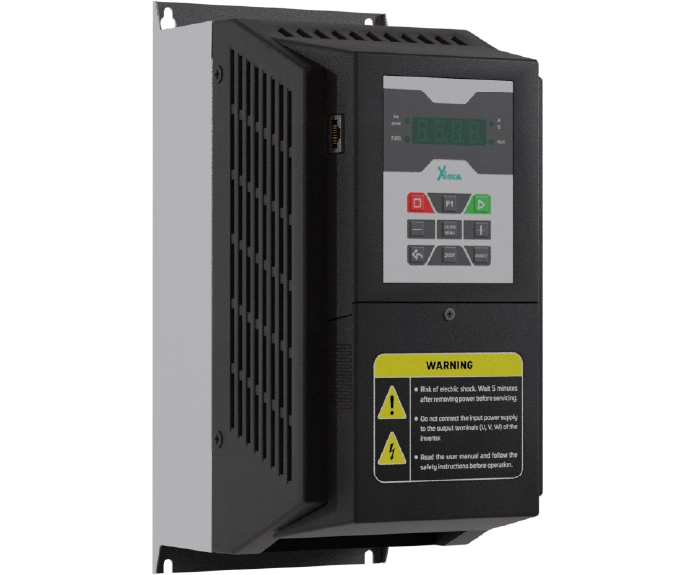
اینورتر 7.5 کیلووات سه فاز سری بالابر و جرثقیل
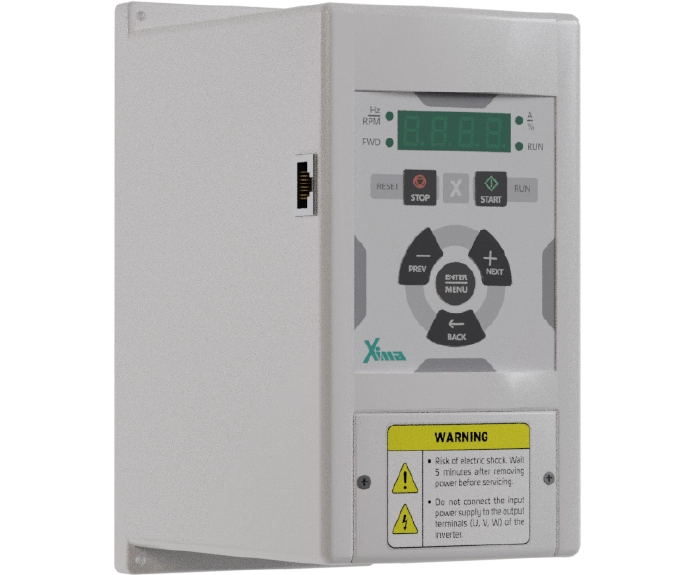
اینورتر 5.5 کیلووات سه فاز سری بالابر و جرثقیل
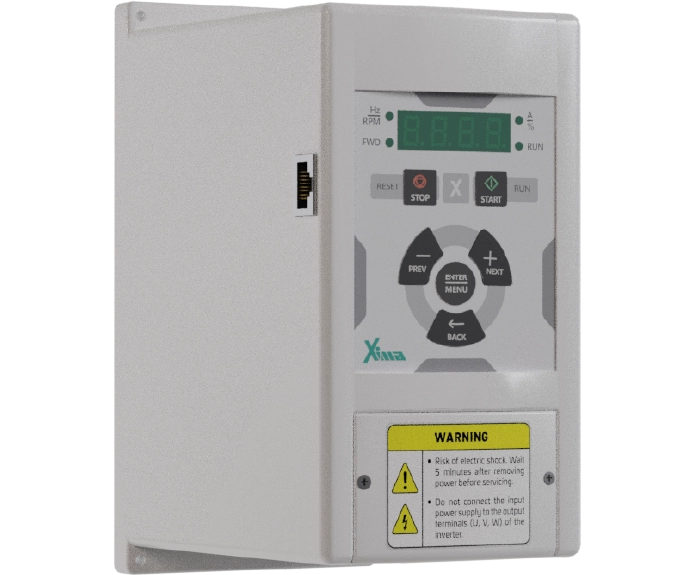
اینورتر 4 کیلووات سه فاز سری بالابر و جرثقیل
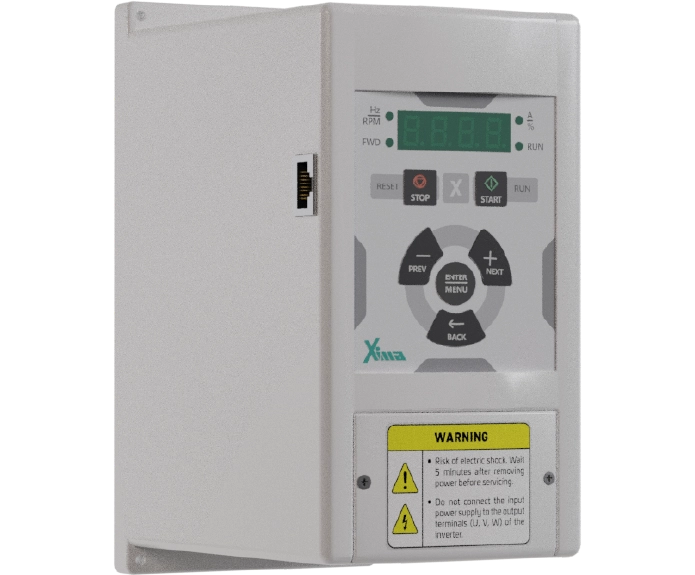
نظرات کاربران
دیدگاهها
هنوز دیدگاهی ثبت نشده است.